Secret Garden App is one of the apps EVPAD users may look for when trying to access hidden or 18+ content on their TV box. Depending on your EVPAD model, software version, or installed app package, the way you access Secret Garden may vary. Some users may need an access password, while others may need to reinstall the app if it disappears after an update or factory reset.
In this guide, Evpadsg.com explain what Secret Garden is on EVPAD, how to access it, what to do if the usual EVPAD hidden apps password is not working, and how to download or reinstall the app using 86868.tv.
What Is Secret Garden App on EVPAD?
Secret Garden App is an app available to some EVPAD users that provides content intended for adults aged 18 and above. It is often referred to by users as an EVPAD hidden app or secret app because access may require a specific password or entry method rather than appearing like a regular app on the main screen.
The availability of Secret Garden and the way it is accessed can vary depending on the EVPAD model, software version, and installed app package. If the app is missing or no longer accessible, users may need to check the current access method or reinstall the compatible app package.
Is Secret Garden an EVPAD Hidden App?
Yes. Secret Garden is commonly known as an EVPAD hidden app for 18+ content. Depending on your EVPAD model and software version, you may need a password to access it or reinstall the app if it is missing.
How to Access Secret Garden on EVPAD
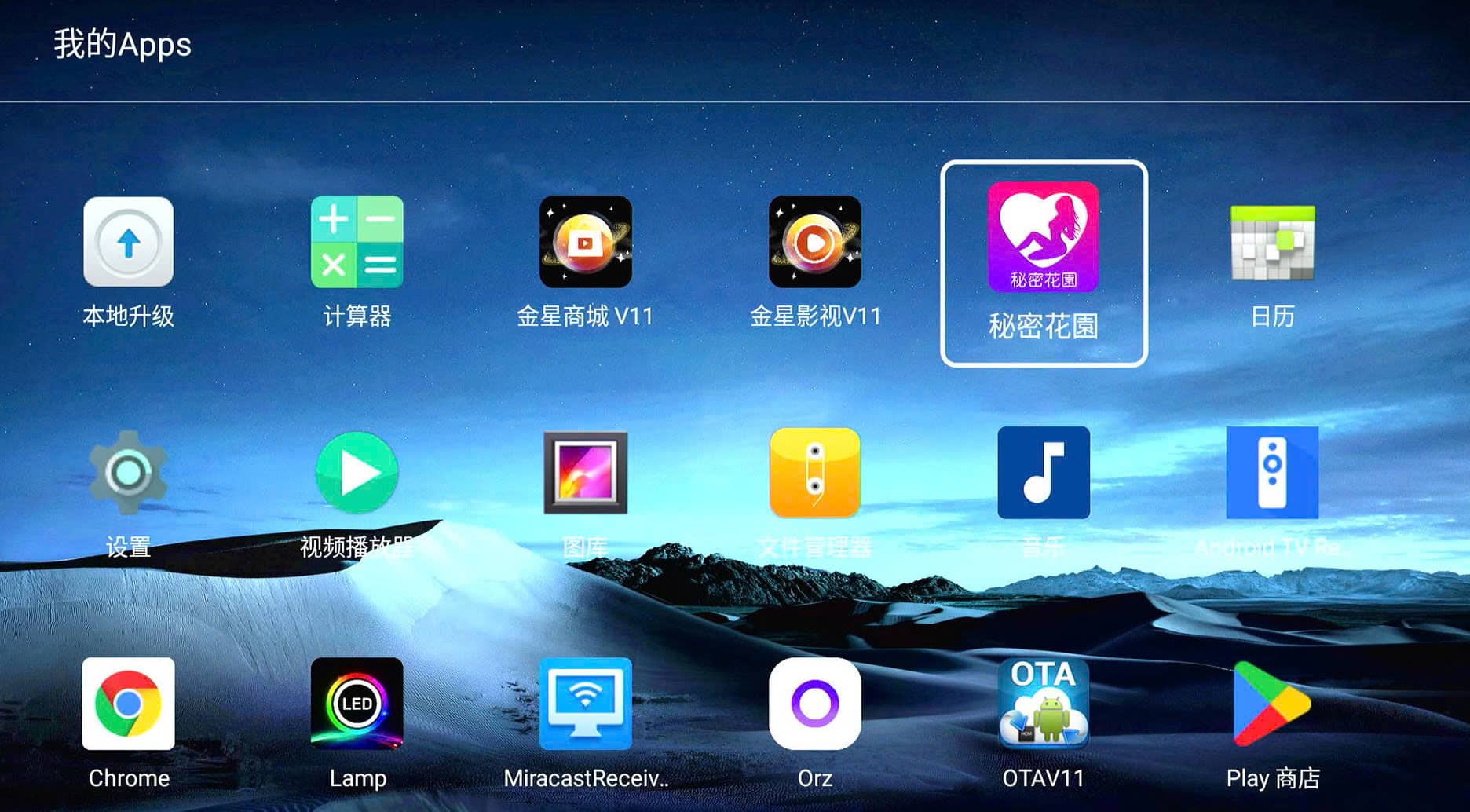
If Secret Garden is already installed on your EVPAD, you can access it through the relevant hidden app section. The exact steps may vary slightly depending on your EVPAD model and software version.
Step 1: Open the Hidden App Section
From the EVPAD home screen, open the section where hidden or 18+ apps are available.
Step 2: Enter the Access Password
When prompted, enter the required EVPAD hidden app password to unlock the section. If your usual password, such as 1111, is not working, see the troubleshooting section below.
Step 3: Open Secret Garden
Find Secret Garden App in the available app list and select it to open. If Secret Garden does not appear, the app may need to be downloaded or reinstalled before you can access it.
EVPAD Secret Garden Password and Access Code
To access Secret Garden on EVPAD, you may be asked to enter a password or access code. For the version covered in this guide, the Secret Garden access password is 6868.
If 6868 does not work on your device, the access method may be different depending on your EVPAD model, software version, or installed app package. Make sure the Secret Garden app is properly installed and updated before trying again.
Does the Password Differ by EVPAD Model?
It can. EVPAD hidden app passwords and access methods may change between models or software versions. Older codes such as 1111 may therefore not work on every device.
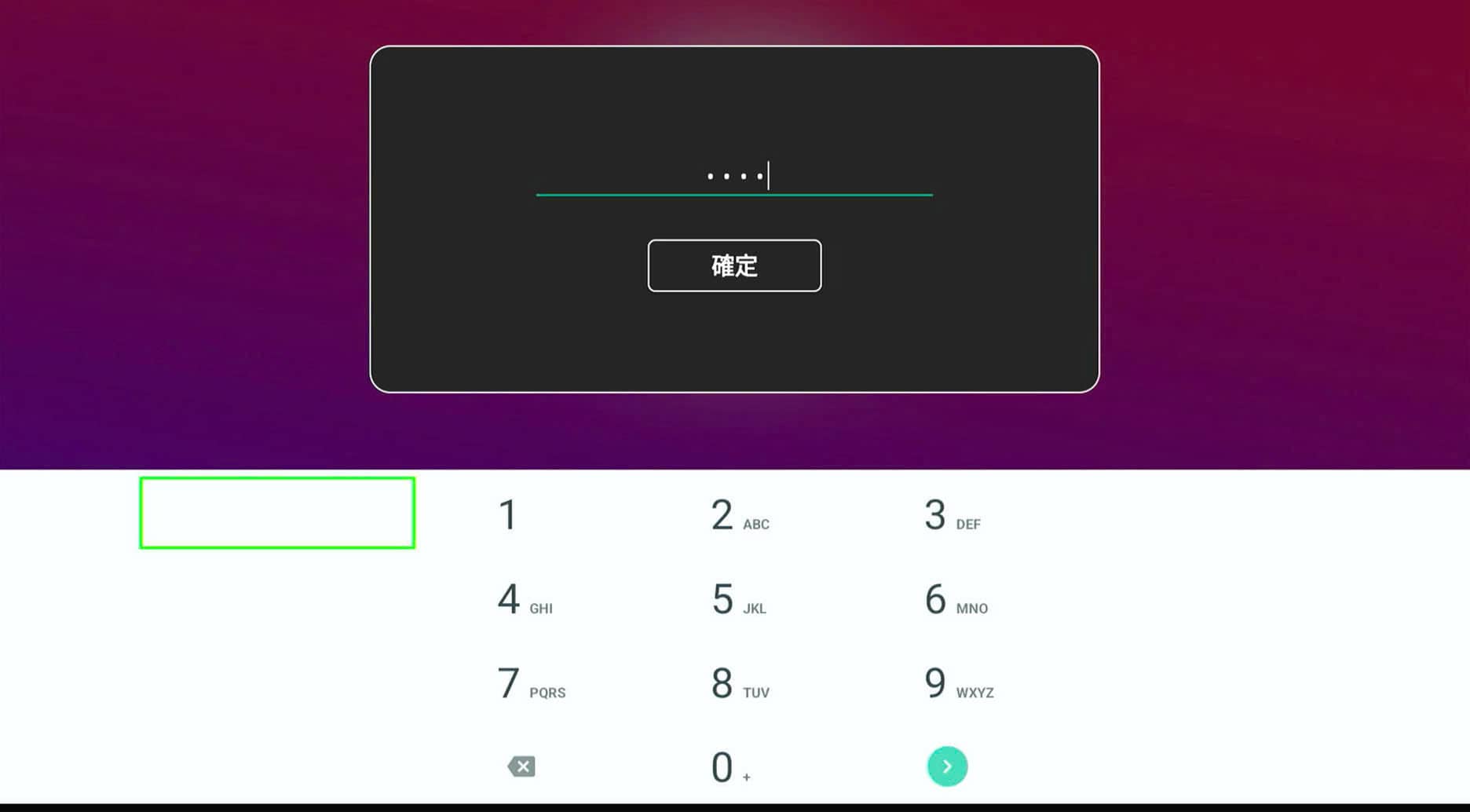
EVPAD Hidden Apps Password 1111 Not Working?
If the EVPAD hidden apps password 1111 is not working, your device may be using a different access code or app version. Passwords and access methods can vary depending on the EVPAD model, software version, and installed app package.
Try the following:
- Check your EVPAD model and software version to make sure you are following the correct access method.
- Try the current Secret Garden password — for the version covered in this guide, the access code is 6868.
- Restart your EVPAD and try accessing the hidden app section again.
- Reinstall Secret Garden if the app is missing, cannot be opened, or the installed version is no longer working properly.
If Secret Garden is no longer installed on your device, follow the steps below to download and reinstall the app.
How to Download or Reinstall Secret Garden App on EVPAD
If Secret Garden App is missing, has been removed, or no longer works properly on your EVPAD, you can download and reinstall the app using the EVPAD browser.
Step 1: Open the Browser on Your EVPAD
From the EVPAD home screen, open Chrome or another available web browser and make sure your device is connected to the internet.
Step 2: Visit 86868.tv
Enter 86868.tv in the browser address bar to open the app download page.
Step 3: Download and Install the App
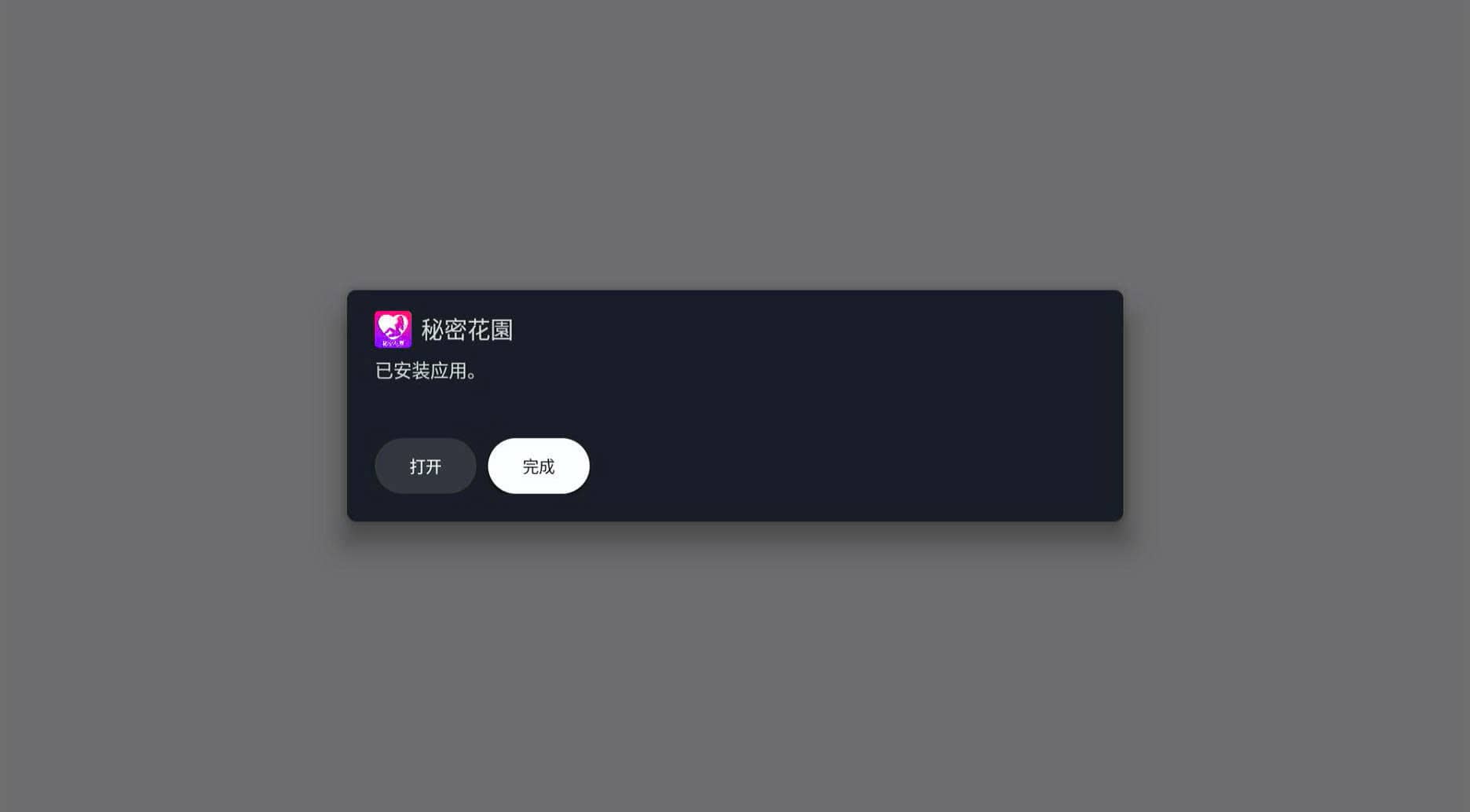
Find the appropriate app package and select Download. Once the APK file has finished downloading, open it and follow the on-screen instructions to complete the installation.
Step 4: Open Secret Garden
After installation, launch Secret Garden App. If prompted for an access password, enter 6868 for the version covered in this guide.
Note: App availability, download options, and access methods may vary depending on your EVPAD model and software version. If the app does not appear after installation, restart your EVPAD and check the app list again.
What Is 86868.tv and How Is It Used with EVPAD?
86868.tv is a web-based download page used by some EVPAD users to access and install compatible app packages. It can be useful when an app such as Secret Garden is missing, has been removed, or needs to be reinstalled after a reset.
On EVPAD, you can open 86868.tv directly through the device browser, download the required APK, and install it on the TV box. Available apps and installation methods may vary depending on your EVPAD model and software version.
Is 86868.tv Required to Use Secret Garden?
No. If Secret Garden App is already installed and working on your EVPAD, you do not need to use 86868.tv. It is mainly useful when you need to download or reinstall the app.
Secret Garden App Not Showing on EVPAD?
If Secret Garden App is not showing on your EVPAD, the app may have been removed, hidden, or affected by a software update or factory reset. In most cases, you can restore access by checking the app section or reinstalling the appropriate app package.
After an EVPAD Update
If Secret Garden disappeared after a system update, restart your EVPAD and check the app list again. If it is still missing, you may need to reinstall the app.
After a Factory Reset
A factory reset can remove previously installed apps and settings. If Secret Garden is no longer available after the reset, reinstall it using the appropriate EVPAD app download method.
App Installed but Still Not Showing
If the installation was completed but Secret Garden does not appear, restart your EVPAD and check the app list again. You should also make sure the app version is compatible with your EVPAD model and current software version.
Privacy and Age Requirements
Secret Garden App contains content intended for adults aged 18 and above. Users should follow local laws and age restrictions when accessing the app.
For better privacy and security, avoid sharing your access password and only install APK files from sources you recognize. If you share your EVPAD with family members, consider keeping adult apps separate from the main entertainment apps.
EVPAD Secret Garden FAQ
What Is Secret Garden on EVPAD?
Secret Garden is an 18+ app available to some EVPAD users. It is commonly associated with EVPAD hidden or secret apps and may require a password or specific access method to open.
Is Secret Garden an EVPAD Hidden App?
Yes. Secret Garden is commonly known among users as an EVPAD hidden app. Its availability and access method may vary depending on the EVPAD model and software version.
What Is the Password for EVPAD Secret Garden?
For the version covered in this guide, the Secret Garden access password is 6868. If it does not work, check your EVPAD model, software version, and installed app version.
Why Is the EVPAD Hidden Apps Password 1111 Not Working?
The password 1111 may not work on every EVPAD model or software version. Access codes and methods can change, so users may need to use the current password or reinstall the appropriate app package.
Where Can I Download Secret Garden for EVPAD?
If Secret Garden is missing from your EVPAD, you can use the device browser to visit 86868.tv and check for the appropriate app package. Make sure the downloaded version is compatible with your device before installing it.
What Is 86868.tv Used for on EVPAD?
86868.tv is used by some EVPAD users to access downloadable app packages. It can be useful when an app is missing or needs to be reinstalled.
Is Secret Garden Available on Every EVPAD Model?
Availability may vary by EVPAD model, software version, and installed app package. If Secret Garden does not appear on your device, check your current setup before attempting to reinstall it.
Conclusion
Secret Garden App on EVPAD can be accessed differently depending on your device model, software version, and installed app package. If the app is already installed, you may only need the correct password or access method. If it is missing after an update or factory reset, reinstalling the compatible app package may restore access.
For the version covered in this guide, the Secret Garden access password is 6868. If older passwords such as 1111 no longer work, follow the troubleshooting and reinstall steps above rather than repeatedly trying the same code.