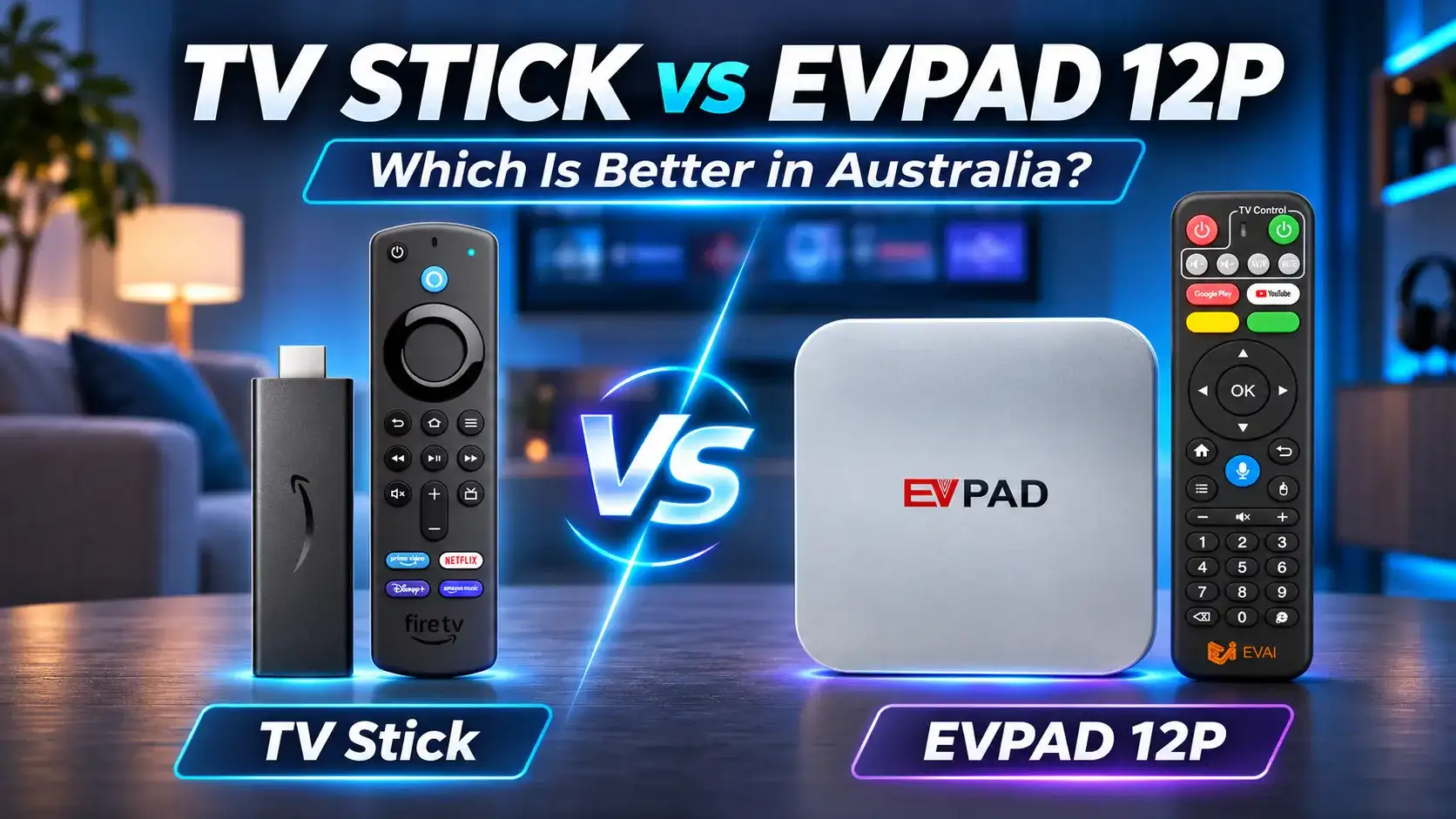
Looking for a TV stick in Australia? Devices like Amazon Fire TV Stick and Xiaomi TV Stick offer a compact, affordable way to stream your favourite entertainment. But is a streaming stick enough for your household, or would a full-size TV box like the EVPAD 12P International Version be a better choice? This guide compares popular options, key features and costs to help you decide.
What Is a TV Stick and How Does It Work in Australia?
A TV stick is a compact streaming device that plugs into your television’s HDMI port, allowing you to watch online entertainment without buying a new smart TV.
Popular options in Australia include Amazon Fire TV Stick and Xiaomi TV Stick. Depending on the model and supported apps, you can access streaming services such as Netflix, YouTube, Disney+ and Australian catch-up TV platforms.
How to Connect a Streaming Stick to Your TV
Setting up a TV stick is straightforward:
- Connect to HDMI: Plug the streaming stick into an available HDMI port on your TV.
- Provide power: Connect the supplied power cable and use the recommended power adapter or a compatible USB power source.
- Connect to Wi-Fi: Follow the on-screen instructions to join your home network.
- Sign in and stream: Set up the required device account and open compatible entertainment apps.
Note: Your TV needs an HDMI connection, and streaming requires internet access. Some apps also require separate paid subscriptions.
Popular Streaming TV Sticks Available in Australia
When shopping for a TV stick in Australia, Amazon Fire TV Stick and Xiaomi TV Stick are two options worth considering. Both offer compact designs and streaming features, but their software platforms and app ecosystems differ.
Amazon Fire TV Stick
Amazon offers several Fire TV Stick models, including HD and 4K options for different televisions and viewing needs.
- Fire TV Stick HD: Suited to households with a Full HD television and basic streaming requirements.
- Fire TV Stick 4K (3rd Gen, 2026): Supports 4K HDR10+, Wi-Fi 6 and Amazon’s Vega OS platform.
- App ecosystem: Provides access to compatible Fire TV applications. Check support for your preferred apps, as availability varies by model and operating system.
Xiaomi TV Stick 4K
The Xiaomi TV Stick 4K (2nd Gen) is a compact alternative powered by Google TV, making it appealing to users familiar with Google’s streaming interface.
- 4K entertainment: Supports 4K output, Dolby Vision and HDR10+ on compatible televisions.
- Google TV: Offers access to supported streaming apps and personalised content recommendations.
- Wireless connectivity: Includes Wi-Fi 6 and built-in casting for sharing compatible content from other devices.
Here’s a quick comparison of the two 4K models:
| Feature | Fire TV Stick 4K (2026) | Xiaomi TV Stick 4K (2nd Gen) |
|---|---|---|
| Platform | Vega OS | Google TV |
| Video Output | Up to 4K HDR10+ | Up to 4K, Dolby Vision and HDR10+ |
| Wi-Fi | Wi-Fi 6 | Wi-Fi 6 |
| Best For | Households using supported Fire TV apps | Users who prefer Google TV and casting |
Buying tip: Check the exact model generation, Australian app availability and warranty terms before purchasing, especially when considering an imported device.
TV Stick vs TV Box: Which Is Better for Your Needs?
Both streaming sticks and full-size TV boxes can turn your television into a smart entertainment centre. The better choice depends on how you use your TV, the connections you need and the content your household enjoys.
| Feature | Streaming TV Stick | EVPAD 12P TV Box |
|---|---|---|
| Design | Compact, plugs directly into HDMI | Separate box with HDMI cable |
| Storage | Varies by model; Xiaomi TV Stick 4K (2nd Gen) has 8GB | 64GB |
| Connectivity | Primarily Wi-Fi; wired options vary | Wi-Fi 6, Ethernet and additional ports |
| Streaming Apps | Depends on platform and model | Compatible Android apps; service support varies |
| Best For | Simple streaming and portable setups | Home entertainment with more storage and connection options |
Note: Streaming stick specifications vary by brand and generation. The comparison above highlights general differences and the EVPAD 12P’s advertised features.
Portability, Setup and Connectivity
- Choose a TV stick for convenience: Its compact design is useful for a spare TV, small spaces or occasional travel.
- Consider EVPAD for a permanent setup: Its Ethernet connection and additional ports provide more flexibility when connecting home entertainment equipment.
Performance, Storage and Streaming Apps
- For everyday streaming: A compatible Fire TV or Google TV stick may be all you need for services such as Netflix, YouTube and Disney+.
- For more app storage: EVPAD 12P offers 4GB RAM and 64GB storage, providing more room for compatible applications and media than some compact sticks.
- Check app certification: More RAM or storage does not guarantee better streaming quality or support for every paid service.
Chinese-Language and International Entertainment
For Chinese-speaking households in Australia, the decision may also depend on language preferences and family entertainment habits.
- TV sticks: A practical choice when your preferred Mandarin or Cantonese streaming apps are already supported.
- EVPAD 12P International: Worth considering for families interested in Chinese-language and international entertainment, multilingual features and home karaoke.
- Content access: Always confirm app compatibility, regional availability and any subscription requirements before purchasing.
TV Stick Prices in Australia vs EVPAD 12P: Which Offers Better Value?
A TV stick in Australia generally costs less upfront than a full-size TV box. However, the best value depends on whether you only need basic streaming or want additional home entertainment features.
Upfront Device Costs and Subscriptions
Here are some indicative prices for Australian buyers:
- Amazon Fire TV Stick: Prices vary by model. For example, the Fire TV Stick 4K Select is listed at around A$87, while other 4K versions may cost more.
- Xiaomi TV Stick 4K (2nd Gen): Available from Australian online sellers for approximately A$120–150, depending on the retailer.
- EVPAD 12P International Version: Listed at US$238.99 on EVPADSG. The final AUD amount depends on the exchange rate and checkout charges.
Subscription costs: Buying a streaming device does not automatically include paid services such as Netflix or Disney+. EVPAD does not require a monthly device-access fee, but compatible third-party apps and content services may charge separately.
Is a Full-Size TV Box Worth the Extra Cost?
- Choose a TV stick to save money: If you mainly use a few supported streaming apps, a TV stick is often the more economical choice.
- Consider EVPAD for a larger entertainment setup: Its additional storage, wired connectivity and compatible international entertainment features may justify the higher upfront cost.
- Think about long-term use: Compare the apps your family actually needs, potential subscription fees and warranty support before deciding.
Final verdict: A TV stick offers better value for simple, budget-friendly streaming. For households interested in Chinese-language and international entertainment, the EVPAD 12P International Version is worth considering if its features and supported content match your family’s needs.
Looking for More Than a Streaming Stick?
Explore the EVPAD 12P International Version with 64GB storage, Wi-Fi 6, Ethernet connectivity and features designed for international home entertainment.