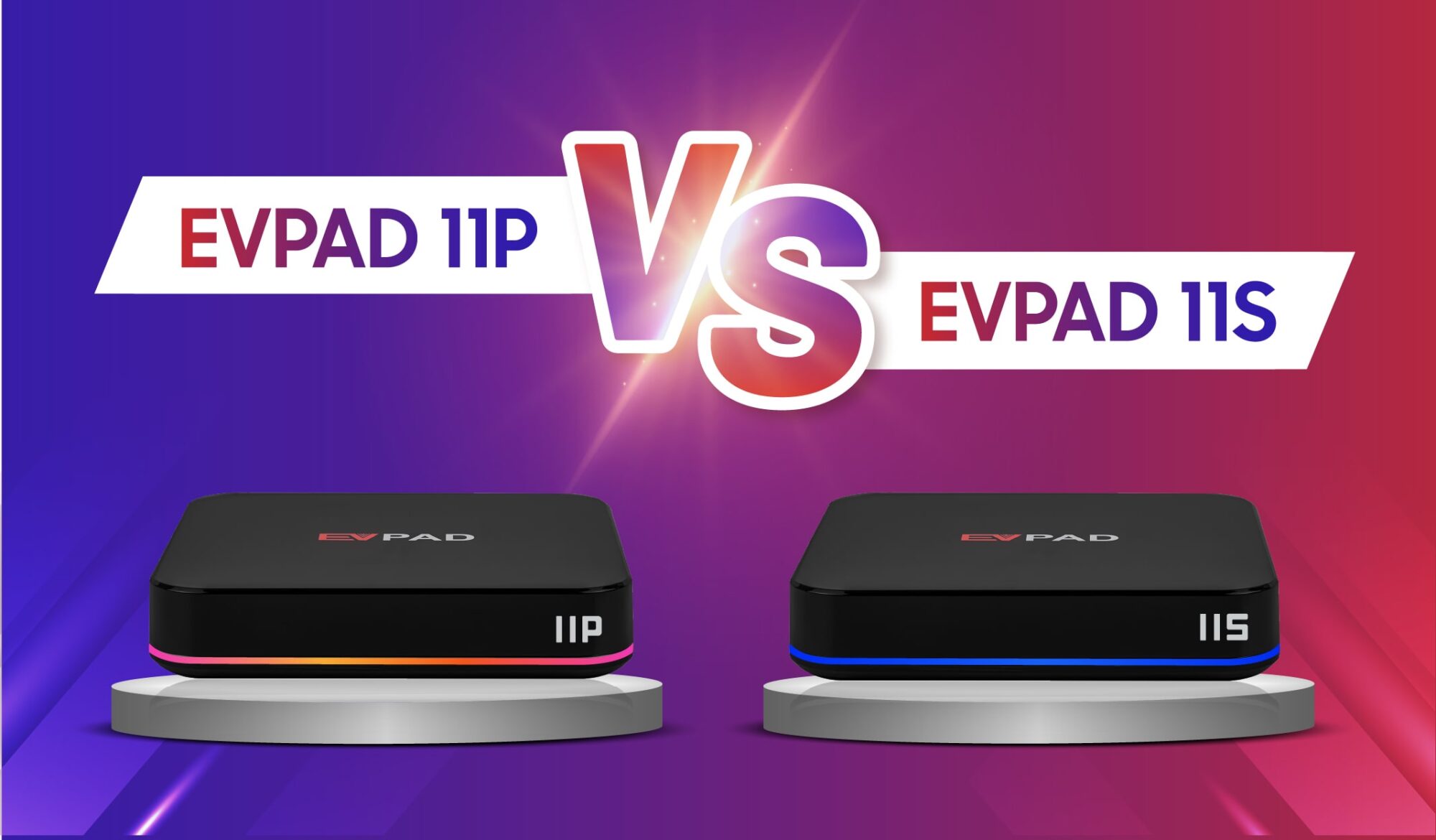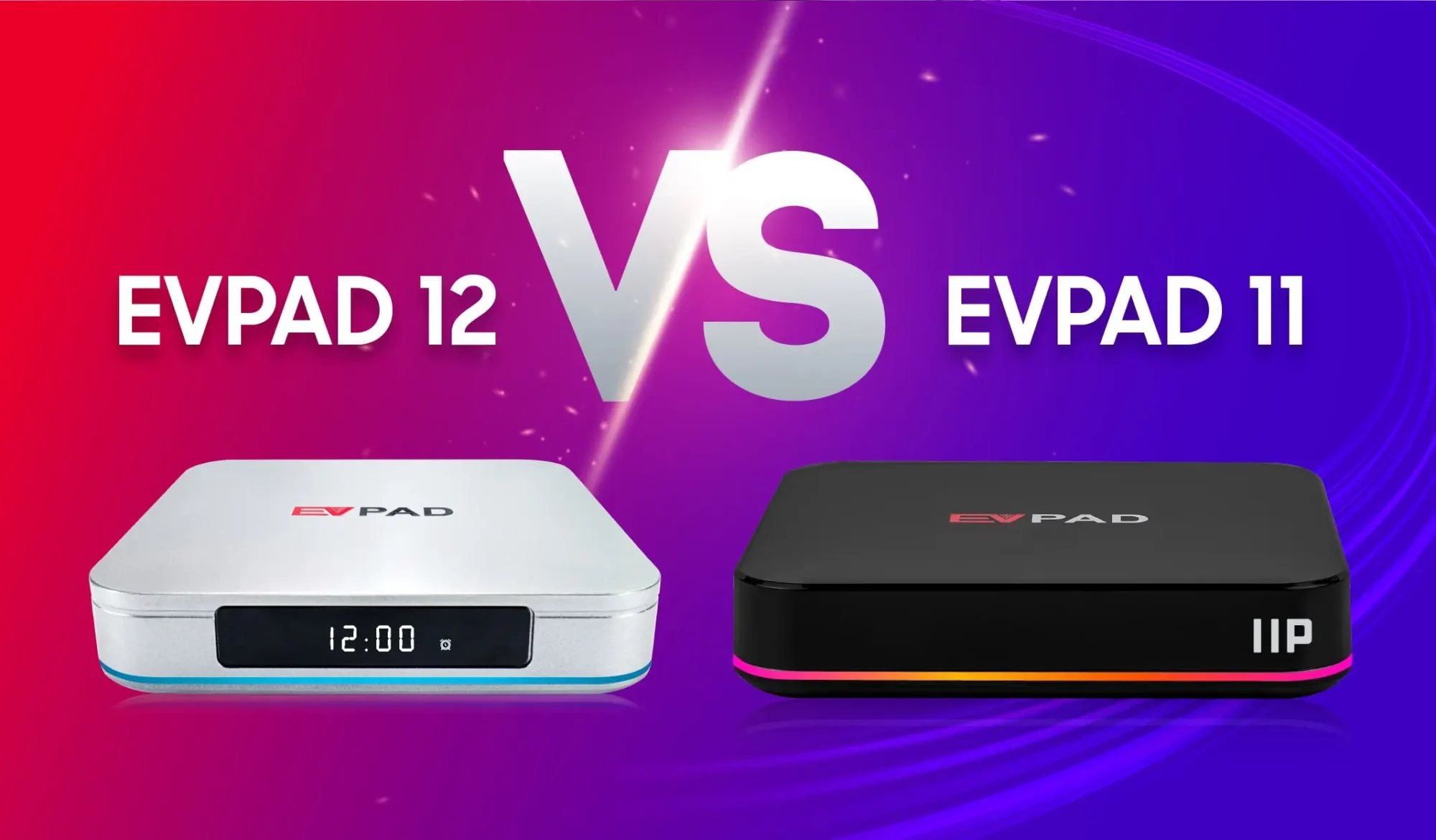
Choosing between EVPAD 10, EVPAD 11, and EVPAD 12 can be confusing because each generation improves on the last in different ways. The biggest changes are not limited to appearance — they also include the operating system, network performance, remote control functions, entertainment features, and overall ease of use.
This guide compares the three generations at a high level so you can clearly see what changed from EVPAD 10 to 11, what improved again from EVPAD 11 to 12, and whether upgrading to a newer model is worth it for your needs.
EVPAD 10 vs 11 vs 12: Quick Comparison
The main differences between EVPAD 10, EVPAD 11, and EVPAD 12 are found in the operating system, network performance, smart control features, power design, and entertainment functions. The table below gives a quick generation-level overview before we look at each upgrade in more detail.
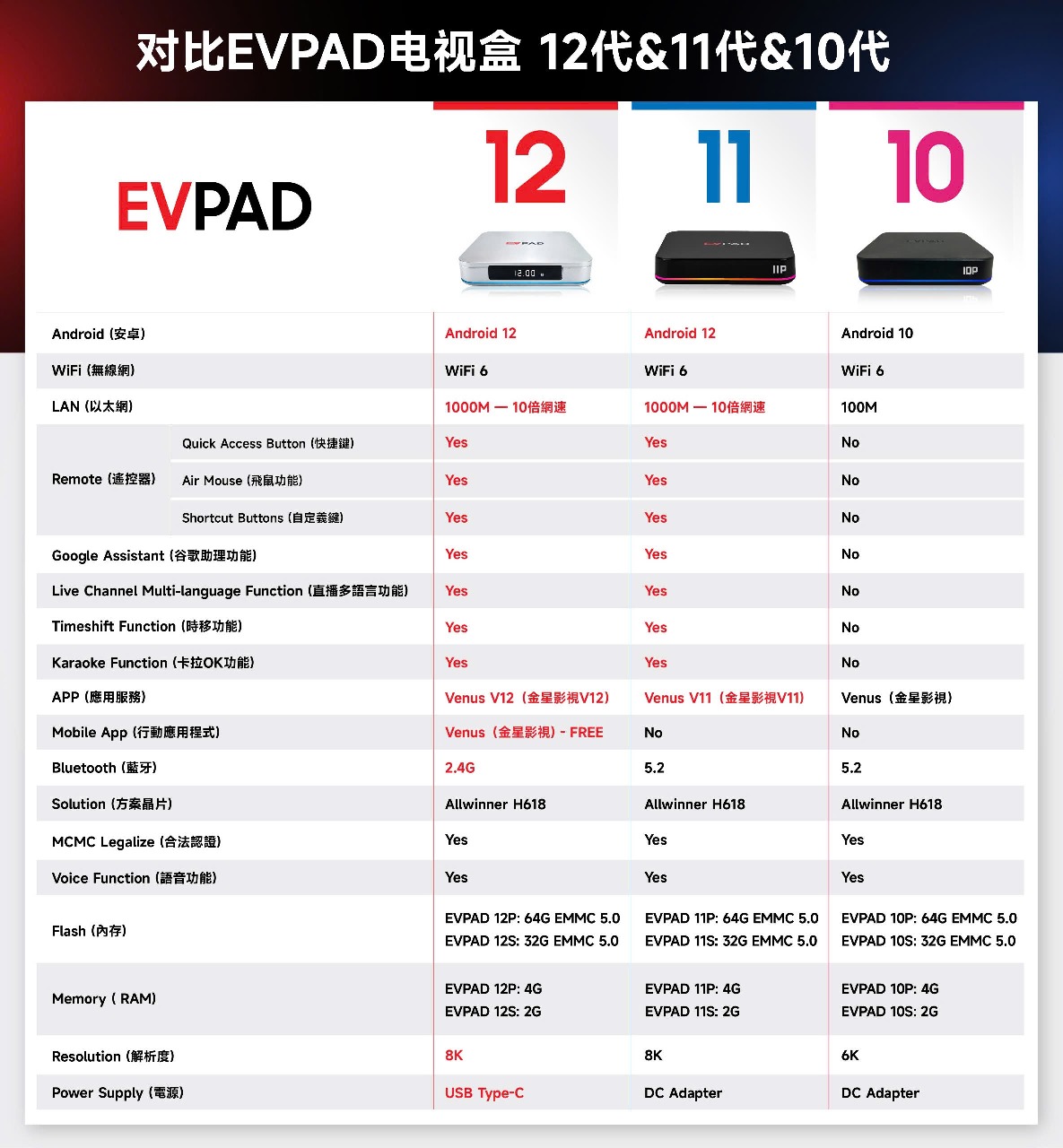
In simple terms, the biggest generational jump happens between EVPAD 10 and EVPAD 11, where Android 12, Gigabit Ethernet, smarter controls, Time-Shift, and KTV features become part of the experience. EVPAD 12 builds on that foundation with a newer design, Type-C power, updated hardware, and further refinements to the EVPAD entertainment ecosystem.
What Changed from EVPAD 10 to EVPAD 11?
The move from EVPAD 10 to EVPAD 11 was one of the biggest generational upgrades in the series. Rather than focusing only on small hardware changes, EVPAD 11 introduced a newer operating system, faster wired networking, smarter controls, and several entertainment features that were not available on EVPAD 10.
- Android 12: EVPAD 11 moved from Android 10 to Android 12, providing a newer software platform for apps and system functions.
- Gigabit Ethernet: Wired networking increased from 100M LAN on EVPAD 10 to 1000M Gigabit Ethernet on EVPAD 11, which can provide a more stable connection for high-bandwidth streaming.
- Smarter Remote Control: EVPAD 11 added Google Assistant support alongside its upgraded smart remote functions.
- Time-Shift and Playback: Users gained the ability to revisit recently aired programs on supported channels instead of being limited to live viewing.
- KTV Karaoke: EVPAD 11 added karaoke support, expanding the device beyond regular TV and VOD viewing.
- Multi-Audio Support: Supported live channels can offer multiple audio tracks, making it easier to switch between available languages such as Mandarin, Cantonese, or English.
For users still on an EVPAD 10 model, the upgrade to EVPAD 11 is most noticeable in network performance, software experience, smart controls, and entertainment flexibility. These changes make EVPAD 11 feel like a more modern platform rather than just a minor refresh.
If your EVPAD 10 is still working well and you mainly use basic live TV or VOD, an upgrade may not be essential. However, users who want Gigabit Ethernet, Android 12, playback features, karaoke, and smarter navigation will see a much larger improvement moving to EVPAD 11.
What Changed from EVPAD 11 to EVPAD 12?
The move from EVPAD 11 to EVPAD 12 is more of a refinement than the major jump seen from EVPAD 10 to 11. Both generations already use Android 12, Wi-Fi 6, Gigabit Ethernet, smart remote functions, Time-Shift, and KTV support, so the EVPAD 12 generation focuses more on design updates, connectivity refinements.
- Updated Design: EVPAD 12 moves to a silver chassis with an LED front display, giving the box a more modern appearance than the darker EVPAD 11 design.
- USB Type-C Power: EVPAD 12 replaces the older DC-style power input with Type-C power, simplifying the connection design.
- HDR10 and 4K Output: EVPAD 12 supports HDR10 and video output up to K, helping compatible content display with improved contrast, color, and detail on supported TVs.
- Updated EVPAD App Ecosystem: EVPAD 12 uses the newer generation of EVPAD apps and services, with updates to playback, mobile integration, and other entertainment functions.
For most EVPAD 11 users, the upgrade to EVPAD 12 is mainly about getting the newest hardware generation, refreshed design, Type-C power, and the latest EVPAD software ecosystem. If your EVPAD 11 still performs well and already meets your entertainment needs, the difference may feel more incremental than the jump from EVPAD 10 to 11.

If you are specifically comparing the P-series models, see our EVPAD 12P vs EVPAD 11P comparison for a more detailed model-by-model breakdown.
Hardware and Connectivity Improvements
Across the EVPAD 10, EVPAD 11, and EVPAD 12 generations, the biggest hardware improvements are found in networking, power design, remote control functions, and overall platform efficiency rather than in headline specifications alone.
Networking is one of the clearest upgrades. EVPAD 10 already supports Wi-Fi 6, but its wired connection is limited to 100M Ethernet. From EVPAD 11 onward, Gigabit Ethernet becomes available, giving users a faster wired option for more stable streaming when the box is connected directly to a router.
The power design also changes over time. EVPAD 10 and EVPAD 11 use a traditional DC adapter, while EVPAD 12 moves to USB Type-C power input. This gives the latest generation a cleaner and more modern connection layout.
Remote control functionality is another area where the newer generations feel noticeably different. EVPAD 10 uses a more basic remote, while EVPAD 11 and EVPAD 12 support smarter controls such as air-mouse-style navigation, shortcut functions, and compatible voice commands.
Overall, EVPAD 10 remains suitable for basic streaming and everyday viewing, while EVPAD 11 introduces a major step forward in wired networking and smart control. EVPAD 12 builds on that foundation with a refreshed design, Type-C power, Venus V12, mobile app support, and other software refinements., updated connectivity, and a more modern physical design.
Which EVPAD Generation Should You Choose?
The right EVPAD generation depends on what you already own, how you use your TV box, and whether you value newer features enough to justify an upgrade. For most buyers, the choice is less about choosing the “best” generation and more about choosing the one that matches your needs and budget.
Choose EVPAD 10 if:
- You already own an EVPAD 10 and mainly use basic live TV and VOD.
- Your current device is still stable and you do not need newer playback, karaoke, or smart-control features.
- You want to keep using your existing box rather than upgrading immediately.
Choose EVPAD 11 if:
- You want Android 12, Gigabit Ethernet, Time-Shift, KTV, multi-audio support, and smarter remote functions.
- You want a major upgrade from EVPAD 10 without necessarily moving to the newest generation.
- You find an EVPAD 11 model at a significantly better price than the equivalent EVPAD 12 model.
Choose EVPAD 12 if:
- You are buying a new EVPAD today and want the latest generation.
- You prefer the newer hardware platform, updated design, Type-C power, and the latest EVPAD app ecosystem.
- You want the longest practical upgrade path among these three generations.
For a new buyer, EVPAD 12 is generally the most future-facing choice because it is the latest generation and benefits from the newest hardware and software refinements. EVPAD 11 can still offer strong value if pricing is attractive, while EVPAD 10 makes the most sense for existing owners whose current box continues to meet their needs.
It is also important to compare the specific model within each generation. For example, P-series models typically offer different memory, storage, and regional options than S-series models, so generation alone should not be the only factor in your purchase decision.
Should You Upgrade to EVPAD 12?
Choose the model that best matches your budget, hardware needs, and preferred generation.
If you are ready to explore current models, you can shop through an official authorized EVPAD dealer for authentic EVPAD products and competitive pricing.