SAVE $62 21% OFF

EVPAD 11P Android TV Box (International Version)

Rated 4.69 out of 5 based on 106 customer ratings
(106 customer reviews)

Original price was: US$289.00.Current price is: US$226.99.

& Free Shipping
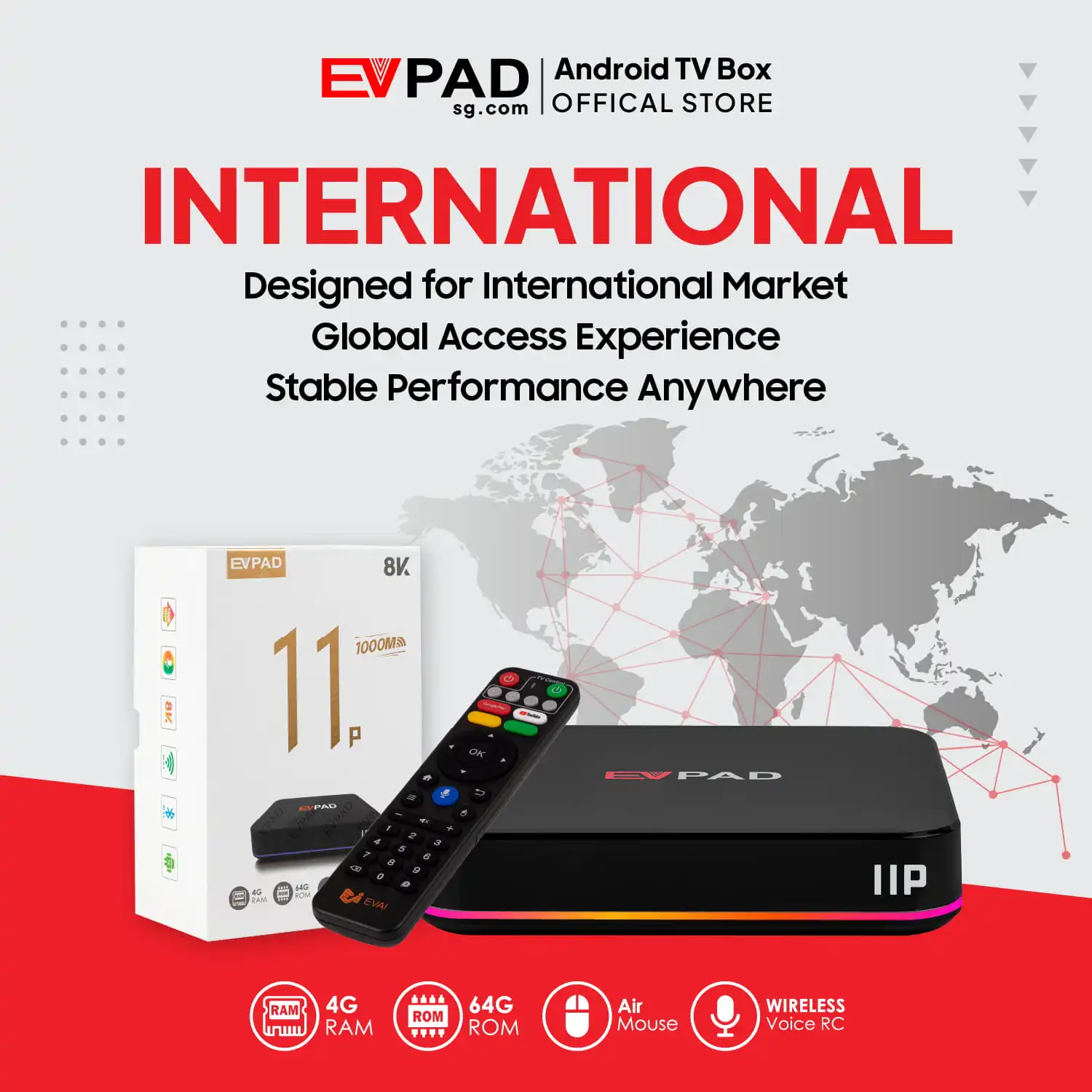
  • 4GB DDR3 Memory + 64GB eMMC Internal Storage.
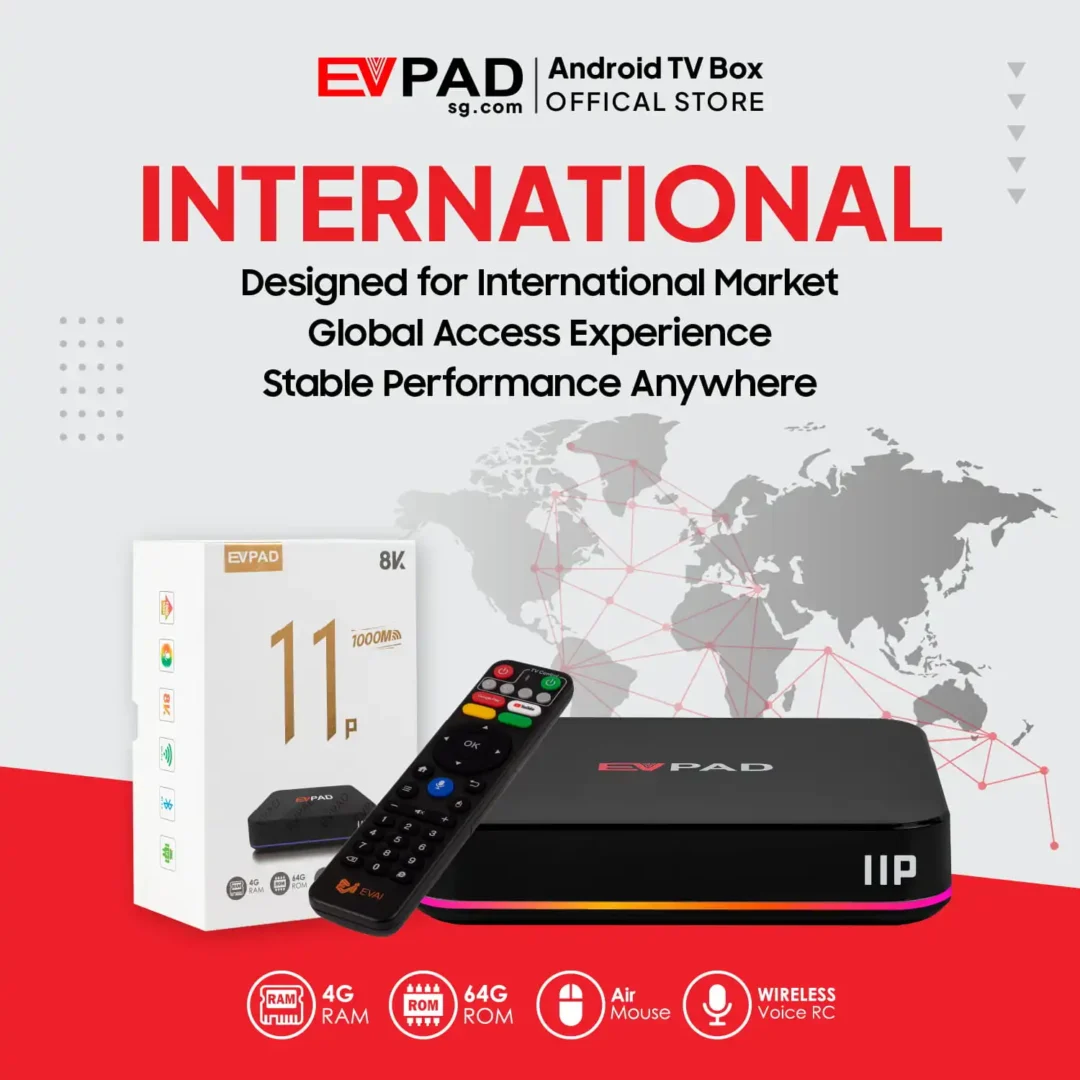
  • International Version: Designed for customers in multiple overseas markets, with access to compatible entertainment applications and supported services.
  • 2025 EVPAD 11 Series Android TV Box.
  • EVPAD Official Online Store. 100% Authenticity Guaranteed.
  • One-time hardware purchase. No mandatory monthly fee simply for owning the device. Individual entertainment services may require separate subscriptions.
  • Designed for international customers, especially overseas Chinese households.
  • Explore Chinese-language, Asian and international live TV, movies, dramas and other entertainment through compatible EVPAD and Android applications, subject to regional availability.
  • Sports Entertainment: Access compatible sports streaming applications where available. Viewing rights, subscriptions and picture quality depend on the service provider.
- +
Guaranteed Safe Checkout

Secure, Fast, and Reliable Purchasing with Us

  • Free Worldwide Shipping (2–5 Days)
  • Secure Payment with Stripe and PayPal Payment Gateways
  • 30-Day Free Returns & Full Refund Guarantee
  • Lifetime Support & 1-Year Defect Replacement

Introducing EVPAD 11P International Version – A Powerful Android TV Box for Overseas Entertainment

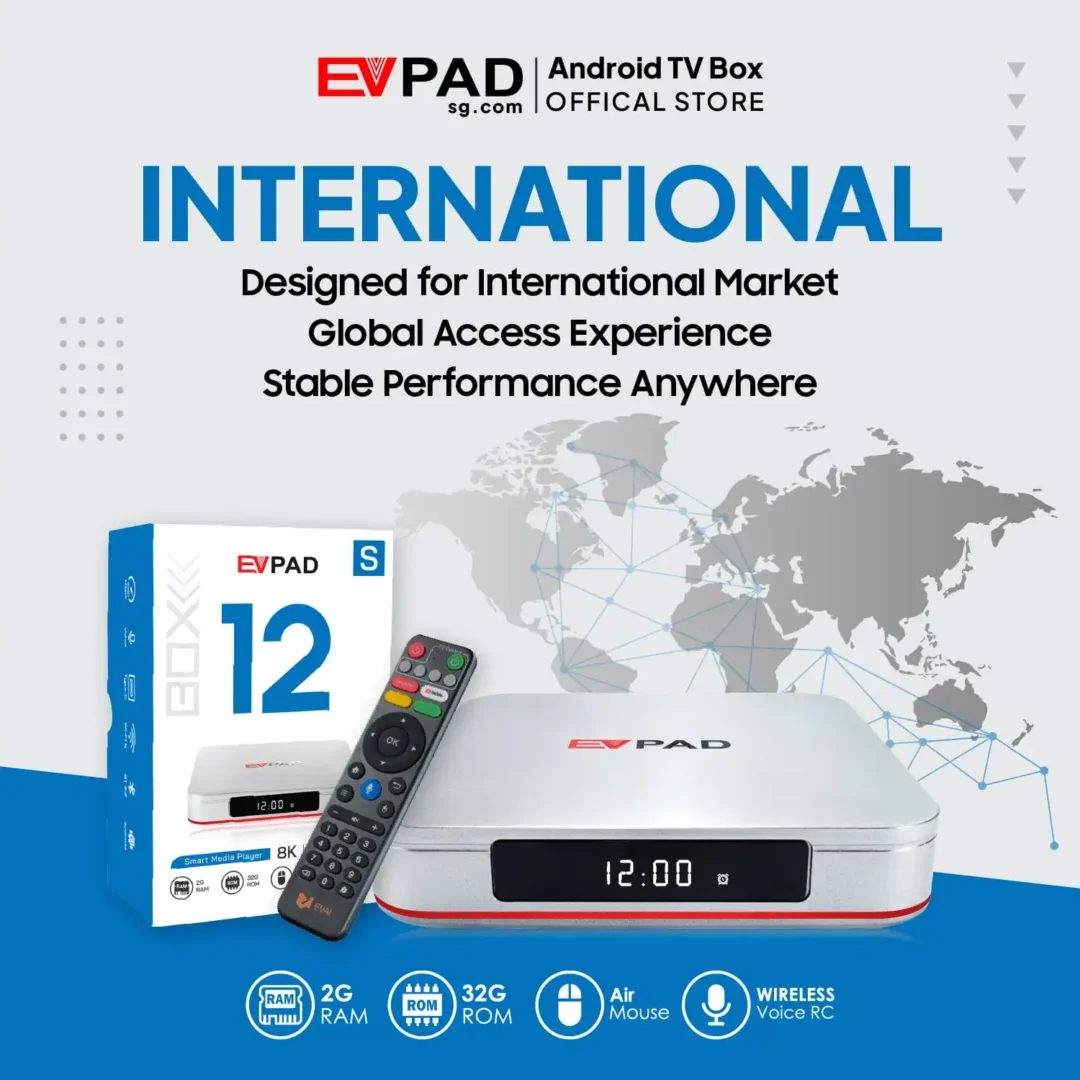
Discover the EVPAD 11P International Version, an Android TV box designed for international customers, especially overseas Chinese households, who want a convenient way to explore compatible entertainment applications directly on their televisions. With Android 12, 4GB DDR3 RAM, 64GB eMMC storage, Wi-Fi 6, Gigabit Ethernet and support for 4K video output, it offers a versatile platform for everyday home entertainment.

Whether you enjoy Chinese-language programming, Asian entertainment, movies, television shows, sports or karaoke, the EVPAD 11P brings supported applications and viewing features together in one compact device. Available channels, programs and services depend on the respective application providers and regional availability.

One-time hardware purchase: There is no mandatory monthly fee simply for owning the EVPAD 11P TV box. However, individual entertainment applications and content services may require separate subscriptions or payments. Purchasing the device does not guarantee permanent access to specific channels, movies or sports broadcasts.

Designed for international households, especially Chinese-speaking families living overseas, the EVPAD 11P International Version offers a convenient way to explore compatible entertainment services without constantly switching between different devices or casting methods.
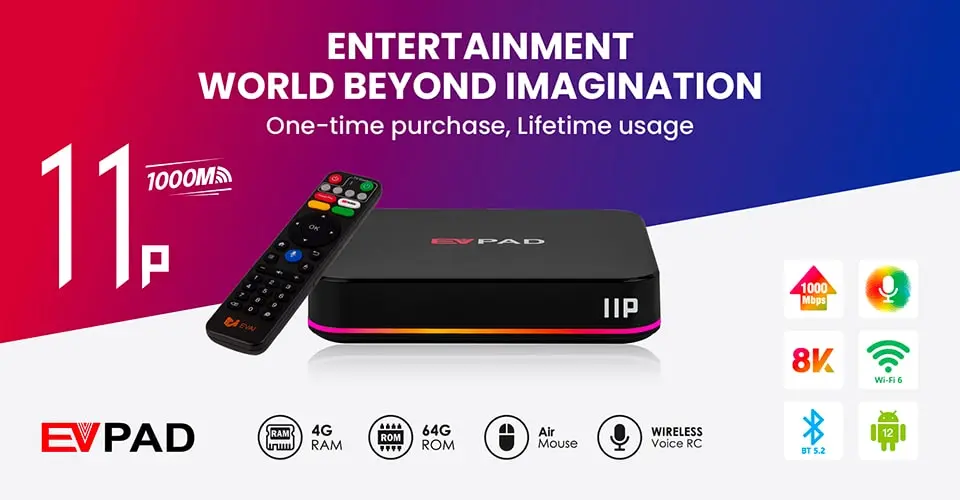
EVPAD 11P International Version Android TV box

EVPAD Versions Comparison

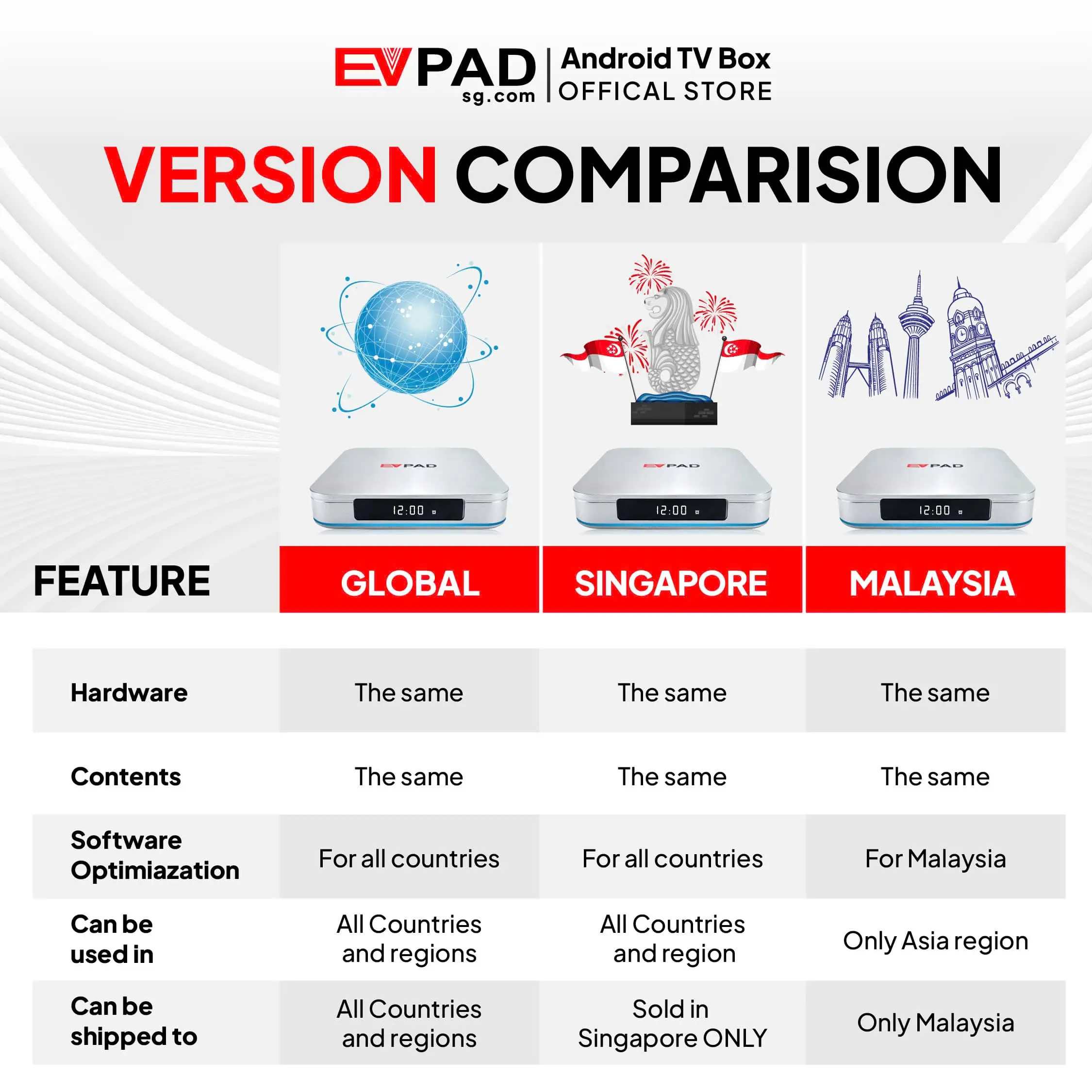
EVPAD offers different regional editions, including the International Version, Singapore Version (Merlion) and Malaysia Version. Regional editions within the same model family may share core hardware specifications, while software configuration, supported applications and service availability can differ.

  • International Version (Global Version): Positioned for customers in multiple international markets. Application compatibility and available entertainment services depend on the intended country or region of use.
  • Singapore Version (Merlion Version): A regional edition sold specifically for customers in Singapore. Buyers should check the current product listing for supported applications and features.
  • Malaysia Version: Designed for Malaysia and supported Asian markets. Regional restrictions may apply, including limitations on use in North America and Europe.

Although different editions may share similar hardware, content availability and application access should not be assumed to be identical across all regions. Check the compatibility of the specific model before purchasing.

Key Features of EVPAD 11P TV Box

  • Time-Shift and Playback Compatibility: Revisit recently aired programs through compatible applications and services that provide catch-up TV or replay functions.
  • Multilingual Entertainment Support: Explore Chinese-language, Asian and other international programming through supported applications, subject to regional availability.
  • Android 12 Operating System: Use an Android-based platform with support for compatible entertainment and utility applications.
  • Upgraded Smart Remote: Navigate applications and device functions using the included smart remote, with supported voice and shortcut features.
  • 4GB DDR3 RAM + 64GB eMMC Storage: Provides memory and storage for compatible applications and everyday device use.
  • Wi-Fi 6 Support: Connect to compatible wireless networks for online applications and streaming.
  • 1000 Mbps Ethernet Port: Use a wired Gigabit Ethernet connection for a stable home network setup.
  • KTV Karaoke Support: Enjoy karaoke through compatible applications, with available songs and features determined by the service provider.
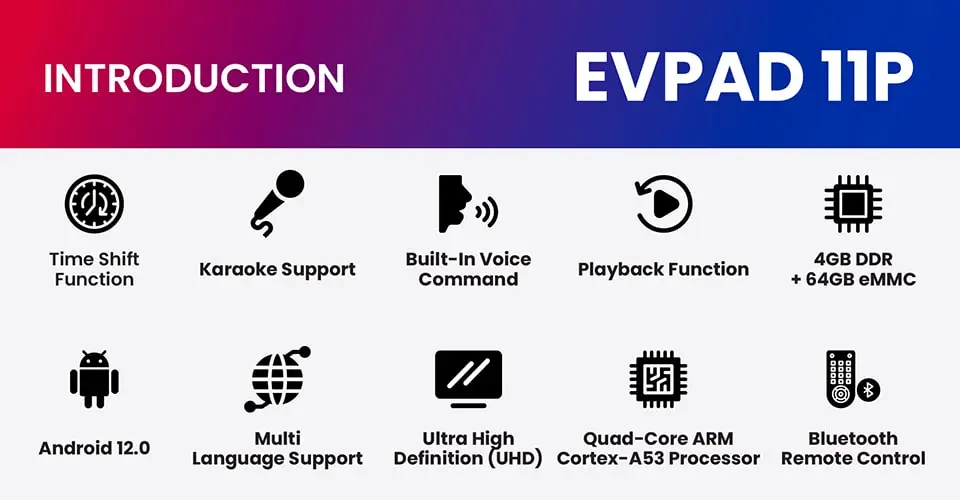
EVPAD 11P International Version hardware specifications and entertainment features

Original Package Contents

  • EVPAD 11P TV Box ×1
  • Voice Control Remote ×1
  • HDMI Cable ×1
  • Power Cable ×1
  • Power Plug ×1
  • User Guide ×1

The package includes the essential accessories needed to connect the EVPAD 11P to a compatible television and complete the initial setup. Package contents may vary slightly by production batch.

Advantages of EVPAD 11P International Version

  • Flexible Home Entertainment: Use compatible applications to explore live TV, movies, television shows, sports and other entertainment options through one Android TV box.
  • One-Time Hardware Purchase: No mandatory monthly fee simply for owning the device. Individual applications and content services may require separate subscriptions or payments.
  • Smart Voice Controls: Use supported voice commands and remote-control functions to navigate applications and search for available content.
  • Online Customer Support: Contact the EVPAD seller or support team for assistance with product questions, setup and troubleshooting during available service hours.

Exclusive Apps

  • Venus Live v11: An EVPAD entertainment application offering access to supported live TV and on-demand viewing features. Available channels, programs and services depend on the current application version, content providers and regional availability. Content originating from Mainland China, Japan, Hong Kong, Taiwan, Malaysia, Singapore, the United States, Canada and other markets may be available through supported services, but specific channel access is not guaranteed.
  • Playback: Compatible services may offer time-shift, catch-up TV or extended replay features on selected channels. Replay duration and channel availability depend on the service provider.
  • KTV: Enjoy karaoke through compatible applications featuring available song selections. Song libraries and update schedules depend on the application provider.

Explore Chinese and International Entertainment on Your TV

The EVPAD 11P International Version provides a convenient Android-based platform for exploring compatible entertainment applications. Depending on the services available, users can browse Chinese-language and Asian programming, movies, dramas, variety shows, news and other content directly on their televisions.

For overseas Chinese households, this offers a practical way to enjoy familiar entertainment through one connected device. Sports streaming applications may also be used where compatible, with viewing rights, subscriptions and video quality determined by the relevant providers.

Content libraries, application compatibility and regional access can change over time. Some services may require additional payments, and purchasing the TV box does not include guaranteed lifetime access to specific channels or programs.

International Compatibility Notice: The International Version is positioned for use in multiple overseas markets, but this does not guarantee that every application or entertainment service will work in every country. Confirm regional compatibility and the availability of your preferred services before purchasing.

EVPAD 11P Smart Control: Smoother, Simpler, Smarter

The EVPAD 11P features an upgraded smart remote designed to make everyday navigation more convenient. With air-mouse-style operation, shortcut keys and supported voice-control functions, users can browse compatible applications and navigate the TV interface more easily.

Voice commands may help with supported searches and device functions, depending on the application and system configuration. Availability of specific voice assistants or smart-home controls should be confirmed for the device’s software version.
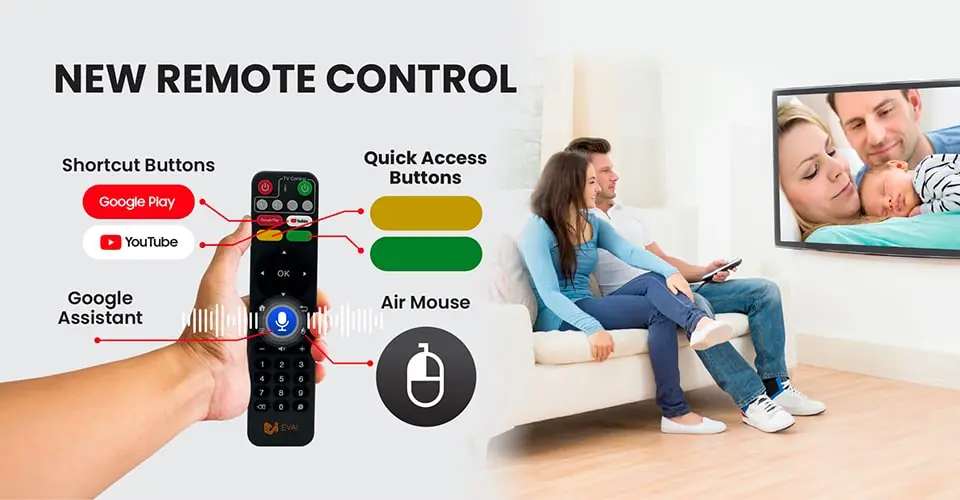
EVPAD 11P upgraded smart remote and voice control features

EVPAD 11P Karaoke: Enjoy Singing at Home

The EVPAD 11P supports KTV karaoke through compatible applications, making it suitable for family gatherings, parties or casual singing at home. Depending on the application, users can browse available karaoke songs and enjoy singing directly through their television setup.

The KTV feature provides a convenient alternative to a separate karaoke player for supported functions. Song availability, updates and audio performance depend on the application, connected equipment and service provider.
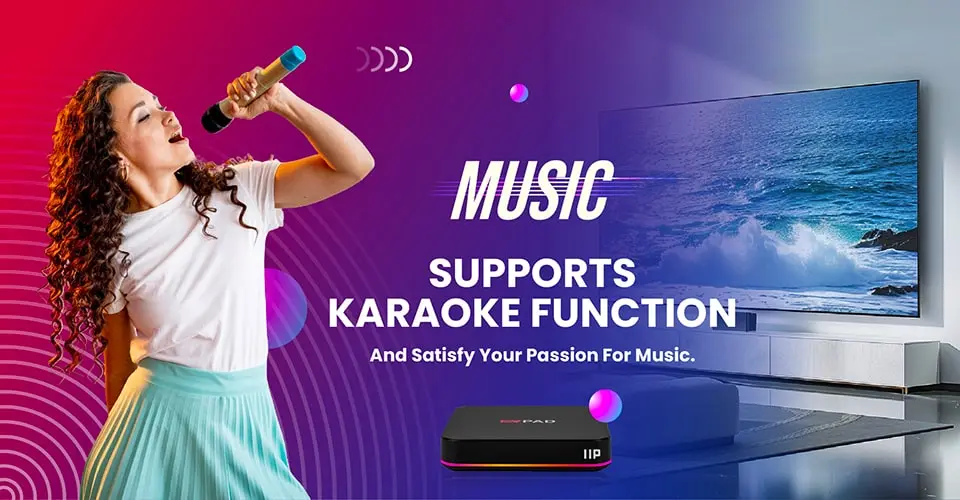
EVPAD 11P karaoke feature for home entertainment

Innovative Time-Shift Function

The EVPAD 11P can be used with compatible television applications that offer time-shift, catch-up TV or replay functions. Where supported, these features allow viewers to revisit recently aired programs instead of watching only at the original broadcast time.

Playback availability, supported channels and replay duration depend on the individual application and content provider. Not every channel or program necessarily supports these functions.
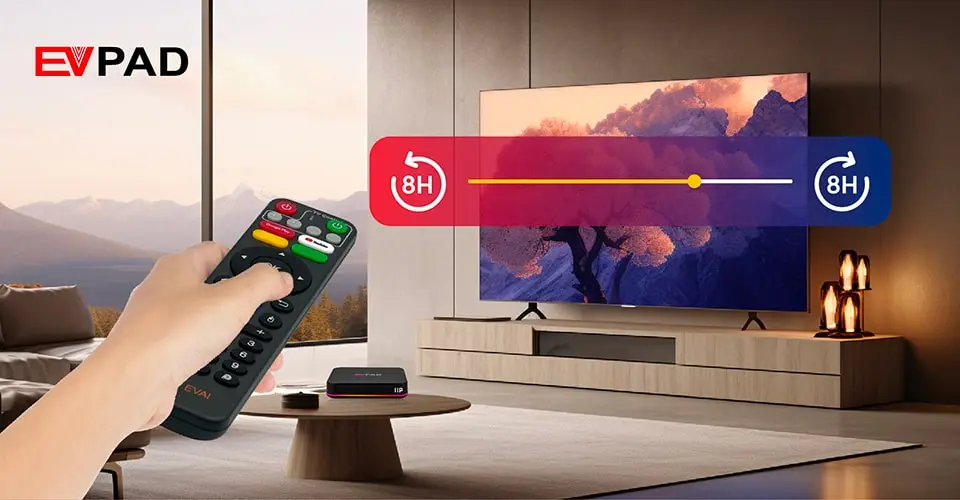
EVPAD 11P time-shift and playback compatibility

Specification

Model Specifications EVPAD – 11P
Solution Allwinner H618 Quad core 4K HDR 10bit
CPU Quad-core A53 64Bit
GPU G31
OS Android 12.0
Memory 4G DDR3
Flash 64G EMMC 5.0
Wifi IEEE 802.11 a/b/g/n/ac /ax 2.4Ghz +5.1&5.8Ghz
BT BT V5.2+BLE/V3.0/V2.1+EDR
Lan 1000M standard RJ45
Video output Support 4K×2K & Full HD1080P@60 fps video output
Audio MPEG L1/L2
AAC–LC and HE AAC V1/V2 decoding
APE, FLAC, OGG, AMR–NB, and AMR–WB decoding
G.711(u/a) audio decoding
G.711(u/a), AMR–NB, AMR–WB, and AAC–LC encoding
Photo PG, JPEG, BMP, GIF, PNG, JFIF
Language
English French German Spanish Italian etc multilateral languages
Remote control Support Infrared / 2.4G remote control
Power supply Input 100~240V output DC 5V/2A
Front Panel Colorful lamp
LED Display
I/O 1* DC IN
2* IR Extension
3* LAN (1000M)
4* HDMI
5* AV–OUT
6* SPDIF
7* USB *2
8* TF–Card
Others machine size: 969619mm
machine weight: ≤100g

FAQs

What is the difference between EVPAD Merlion (Singapore version) and the Global version?

The Merlion Version (Singapore Version) has all the same features as the International Version; however, this edition is distributed exclusively in Singapore (updated on November 20, 2025).

The EVPAD Malaysia version is optimized for Malaysia with local apps and performs better in Southeast Asia. It offers the same content as the Global version but cannot be used in North America or Europe.

EVPAD 11P comes with 64GB storage and 4GB RAM, delivering better performance and more content—ideal for heavy users. EVPAD 11S has 32GB storage and 2GB RAM, making it a more budget-friendly option with fewer contents. Both run Android 12, but the 11P is better suited for users who need more storage, speed, and content. Click HERE for the full comparison.

EVPAD 11 runs Android 12, has faster LAN, more features (like Air Mouse, Google Assistant, and Karaoke), and better performance (4GB RAM, 64GB storage). EVPAD 10 runs Android 10 and offers fewer features compared to version 11.

Our TV boxes are easy to use.
You can watch tutorial videos on YouTube to learn how to install apps and use the TV box Here

You can check the Channels List via this Link

EVPAD 12P Review

Set up your 12 Version EVPAD

EVPAD 11P Review

Set up your 10-11 Version EVPAD

106 reviews for EVPAD 11P Android TV Box (International Version)

4.7
Based on 106 reviews
5
83
83%
4
8
8%
3
2
2%
2
1
1%
1
2
2%

Customer photos and videos

Image #1 from Robert B. Hamilton
Image #2 from Robert B. Hamilton
Image #1 from ronald
Image #1 from Keith
Image #1 from Mark S.
Image #2 from Mark S.
Image #1 from Amazon Customer
Image #1 from yoki
Image #1 from KB
Image #1 from Robert B. Hamilton

Robert B. Hamilton

What can you say? It's a TV box that gives you essentially a top tier cable package for a one time payment. There is nothing illegal about an android box with a video card. The questionable part is the software that downloads once you boot up. You are connected to two IPTV sources - Blue TV (with a backup feed) and Prime TV (not related to Amazon's Prime Video service). Prime is too glitchy to use but Blue TV is reasonable. The video quality is a bit soft and mildly fuzzy at 1080P. Sound is fine. The box is from China so as a precaution I put it behind a 2nd router to keep it off my primary network. As for features, the Video On Demand channels have a good selection of fairly current movies and popular TV series. A few of the channels are glitchy and freeze up, especially the "adult" video selections and international channels like Canadian TV. There are some interesting features like a 7 week recording of about 85 popular channels making it easy to jump back and pick up a show you missed from a few days back. Or TimeShift that lets you rewind the past few hours. Most of the large regional locals (Denver, Phoenix, LA, etc) are well represented. There is no provision for setting up your own personal DVR. I should point out that IPTV has been around quite a while. You can get a subscription to an IPTV service and duplicate all of this for a fraction of the cost on a Firestick. But for a simple all-in-one pre packaged service, this one is very simple to set up.

(0) (0)
Image #2 from Robert B. Hamilton

Robert B. Hamilton

What can you say? It's a TV box that gives you essentially a top tier cable package for a one time payment. There is nothing illegal about an android box with a video card. The questionable part is the software that downloads once you boot up. You are connected to two IPTV sources - Blue TV (with a backup feed) and Prime TV (not related to Amazon's Prime Video service). Prime is too glitchy to use but Blue TV is reasonable. The video quality is a bit soft and mildly fuzzy at 1080P. Sound is fine. The box is from China so as a precaution I put it behind a 2nd router to keep it off my primary network. As for features, the Video On Demand channels have a good selection of fairly current movies and popular TV series. A few of the channels are glitchy and freeze up, especially the "adult" video selections and international channels like Canadian TV. There are some interesting features like a 7 week recording of about 85 popular channels making it easy to jump back and pick up a show you missed from a few days back. Or TimeShift that lets you rewind the past few hours. Most of the large regional locals (Denver, Phoenix, LA, etc) are well represented. There is no provision for setting up your own personal DVR. I should point out that IPTV has been around quite a while. You can get a subscription to an IPTV service and duplicate all of this for a fraction of the cost on a Firestick. But for a simple all-in-one pre packaged service, this one is very simple to set up.

(0) (0)
Image #1 from ronald

ronald

Very happy with this product 👍

(0) (0)
Image #1 from Keith

Keith

Great product

(0) (0)
Image #1 from Mark S.

Mark S.

Is awesome, tell you why I gave only 4 stars though. You get all the channels and sports events you need. The 4 major sports and many more, local and foreign sports. Network TV from about every state, movies... The issue I had was that the picture did freeze on me occasionally. The fix is simple and cheap, a small Joey satellite cable box(shown in pics) I had one here, and just ordered another one as I just purchased another EVPAD, it needs two things for the fix. Coax cable input and an Ethernet jack(circled in red). It doesn't have to be a Joey box, it just needs coax and ethernet in and out puts respectfully. So, the hook up, wall cable jack to "Joey" box, ethernet from "J" box to EVPAD, HDMI from EVPAD to TV. Easy enough? Do not get a coax cable to ethernet converter, it did not work. You don't need cable just home internet access and cable wall jack, that is my setup and it's working great, NO more picture freezing. When setting up apps in the store(is on EVPAD already) use the ANDROID store to get the Blu apps you need, they are free. You'll understand when you get it. All in all I spent less than about $250.00 and that is all, no monthly fees, subscriptions... Compare that to Youtube tv, NFL network or other sports apps you either are or will pay what? $600.00 a YEAR. What's better $250.00 once or $600.00 per year, and you know those cost will go up, we see it with cable all the time. If you decide to buy one, take my advice do what I did, you'll be happy you did. Sorry I rambled on but if you want a EVPAD this is the way to do it. They recommend a Network antenna, tried it, waste of time and effort. If you get one enjoy, I am. TV antenna was $50.00 the Joey boxes range between $20.00 to $30.00 on ebay. The EV box is a no brainier!

(0) (0)
Image #2 from Mark S.

Mark S.

Is awesome, tell you why I gave only 4 stars though. You get all the channels and sports events you need. The 4 major sports and many more, local and foreign sports. Network TV from about every state, movies... The issue I had was that the picture did freeze on me occasionally. The fix is simple and cheap, a small Joey satellite cable box(shown in pics) I had one here, and just ordered another one as I just purchased another EVPAD, it needs two things for the fix. Coax cable input and an Ethernet jack(circled in red). It doesn't have to be a Joey box, it just needs coax and ethernet in and out puts respectfully. So, the hook up, wall cable jack to "Joey" box, ethernet from "J" box to EVPAD, HDMI from EVPAD to TV. Easy enough? Do not get a coax cable to ethernet converter, it did not work. You don't need cable just home internet access and cable wall jack, that is my setup and it's working great, NO more picture freezing. When setting up apps in the store(is on EVPAD already) use the ANDROID store to get the Blu apps you need, they are free. You'll understand when you get it. All in all I spent less than about $250.00 and that is all, no monthly fees, subscriptions... Compare that to Youtube tv, NFL network or other sports apps you either are or will pay what? $600.00 a YEAR. What's better $250.00 once or $600.00 per year, and you know those cost will go up, we see it with cable all the time. If you decide to buy one, take my advice do what I did, you'll be happy you did. Sorry I rambled on but if you want a EVPAD this is the way to do it. They recommend a Network antenna, tried it, waste of time and effort. If you get one enjoy, I am. TV antenna was $50.00 the Joey boxes range between $20.00 to $30.00 on ebay. The EV box is a no brainier!

(0) (0)
Image #1 from Amazon Customer

Amazon Customer

First — 1,700+ channels. All the sports you could possibly consider! Every movie channel, with a detailed schedule to ensure you never miss your favorite movie. Frankly, it’s a tad overwhelming at first until you figure out how to navigate the massive amount of content. Lastly, expect some “freezing.” Even with T-Mobile internet speeds of 8-12mbs, sometimes it “buffers.” But, I’ve found that exiting the channel and reloading it usually solves the freezing problem. STOP PAYING MONTHLY FOR CABLE CHANNELS. THIS DEVICE AND ITS ONE-TIME COST IS WORTH IT — FOR SURE!👍

(0) (0)
Image #1 from yoki

yoki

The first box received was defective: would not connect to Wi-Fi, crashed during setup on LAN, froze with the message "Can't load Android system" and would not reset. Immediately started the return process for a replacement and right away received the message that a new box is on the way. Received the replacement after 4 days and it works as supposed. Defective products do exist, it's the way vendors deal with the situation that matters. Happy customer here!

(0) (0)
Image #1 from KB

KB

Although it delivers all the channels. My router indicated it had to block spyware from Nigeria. So I’m not sure how that was installed on this product. This is a big concern for those who don’t have proper protection on their Internet. But the box delivers all of the channels and is easy to set up and easy to access all of the channels.

(0) (0)
Image #1 from Robert B. Hamilton
Image #2 from Robert B. Hamilton
Image #1 from ronald
Image #1 from Keith
Image #1 from Mark S.
Image #2 from Mark S.
Image #1 from Amazon Customer
Image #1 from yoki
Image #1 from KB
With media
1-5 of 106 reviews
  1. I like this evpad 11p a lot

    (0) (0)
  2. product looks good but im struggling to load

    can i speak with someone please to guide me

    tk
    Spencer 65 9186 6527

    (0) (0)
  3. I have had EV Pad 5 and 6, and this time upgraded to 11. I see a lot of improvements on the equipment and I think it is much faster. I am not a mechanic nor an engineer so I can’t tell the specifics, but it is a very refined box!

    (0) (0)
  4. Recieved in good condition and great help from Mina from CSS

    (0) (0)
  5. jätter bra .

    (0) (0)
Add a review
EVPAD 11P Android TV Box (International Version) EVPAD 11P Android TV Box (International Version)
Rating*
0/5
* Rating is required
Your review
* Review is required
Name
* Name is required
Add photos or video to your review
Shopping Cart
Scroll to Top
z6380387608463_8a417eca692bebb9d86a54df32db6513

GET 10% DISCOUNT OFF

Yeah? Sign up to get the Deal!