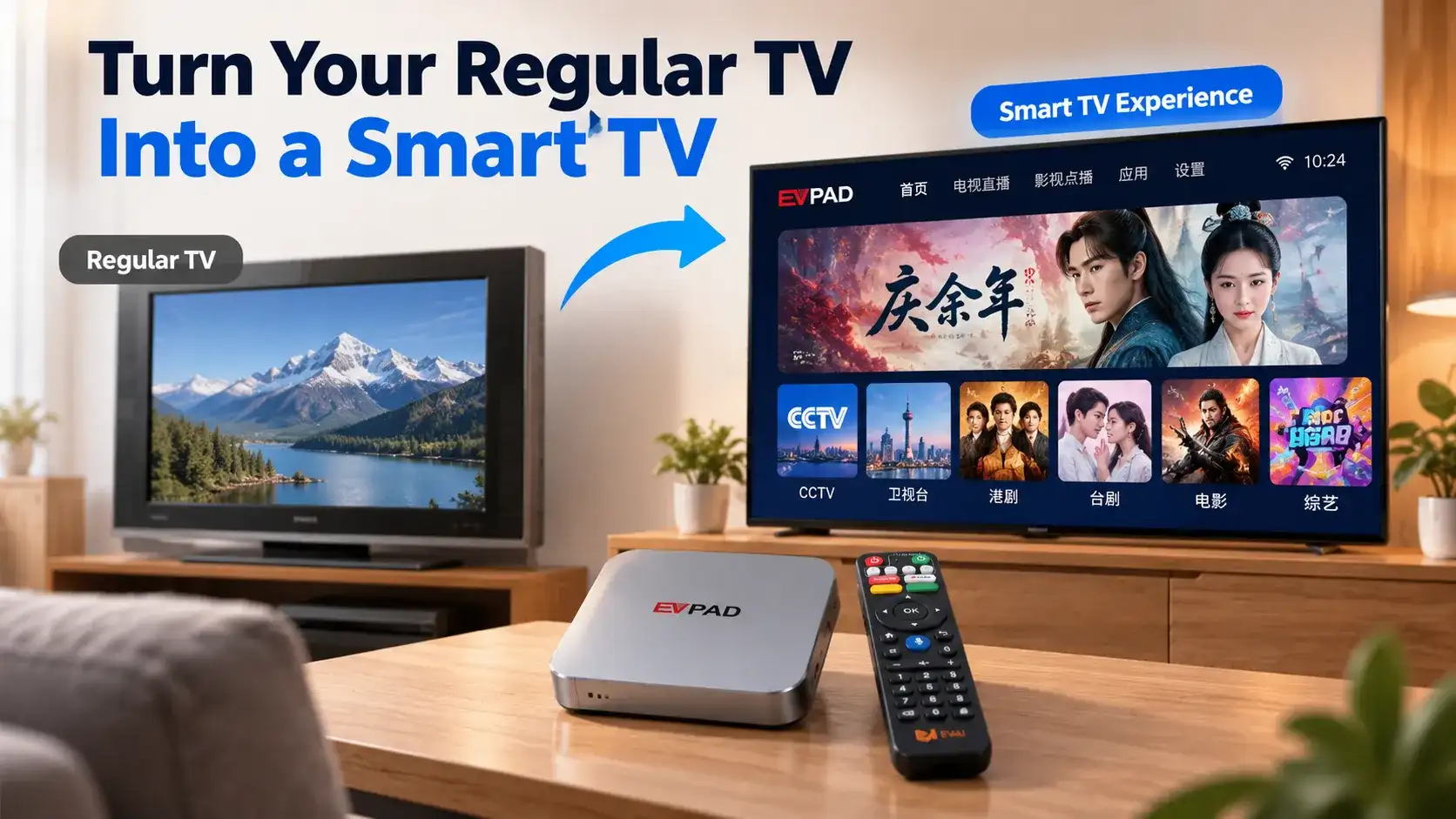
Yes, an Android TV box can turn a regular TV into a smart TV experience. If your television has an HDMI port, you can connect an Android TV box to access streaming apps, online videos, and other smart features without replacing your existing TV.
This is a practical option if you have an older television that still works well but lacks modern entertainment features. For Chinese-speaking families living overseas, it can also open up more options for watching Mandarin and Cantonese entertainment through compatible services.
Here’s how to check whether your TV is compatible, connect an Android box, and decide if upgrading your existing TV makes sense.
Can an Android TV Box Make a Non-Smart TV Smart?
Yes. An Android TV box can add smart entertainment features to a non-smart TV without changing its internal hardware.
The Android box runs its own operating system, processes apps, and sends video and audio to your television. Your TV simply acts as the display.
This means a regular television can access supported online entertainment even if it doesn’t have built-in Wi-Fi, an app store, or a smart operating system.
The Simple Answer
You don’t need to replace a working television just to get smart features. A compatible Android TV box can provide a separate smart entertainment system using your existing TV screen.
If you’re unfamiliar with these devices, read our guide to what a smart TV box is for a broader explanation.
Is Your Old TV Compatible With an Android TV Box?
The most important factor is your television’s available video inputs. The age of the TV matters less than whether it can receive the Android box’s output signal.
TVs With HDMI Ports
If your regular TV has an HDMI input, connecting a modern Android TV box is usually straightforward.
HDMI carries both picture and sound from the box to your television. You don’t need a Smart TV, built-in internet connection, or special TV software.
Most flat-screen LCD and LED televisions have HDMI inputs, but you should check your specific model before purchasing.
Older TVs Without HDMI
Some older televisions only have AV inputs, such as the familiar red, white, and yellow RCA connectors.
These TVs may work with an Android TV box through a compatible powered HDMI-to-AV converter. The converter changes the box’s digital HDMI output into a signal the older TV can display.
However, converters may introduce compatibility problems or reduce picture quality. Check the supported video formats and connections before buying additional equipment.
What About Very Old CRT TVs?
Some CRT televisions can work with external media devices when suitable video inputs and converters are available.
However, setup may be more complicated, and the picture will remain limited by the television’s original display technology.
| TV Type | Connection | Compatibility |
|---|---|---|
| Regular LCD / LED TV | HDMI | Usually straightforward |
| Older TV Without HDMI | AV / RCA | May require a converter |
| CRT Television | Varies by model | Possible with suitable equipment |
How to Connect an Android TV Box to a Regular TV
If your TV has HDMI, setting up an Android TV box usually takes only a few steps.
Step 1: Connect the HDMI Cable
Connect one end of an HDMI cable to the Android TV box and the other end to your television’s HDMI input.
Step 2: Connect the Power Supply
Plug the Android box into its supplied power adapter and turn it on.
Step 3: Select the HDMI Input
Use your television’s remote control to select the HDMI input connected to the Android box. The device’s home screen should appear.
Step 4: Connect to Your Home Network
Follow the on-screen instructions to connect the box to Wi-Fi or Ethernet, if available.
Step 5: Complete Setup and Open Apps
Set your preferred language, complete any required account setup, and open supported entertainment apps.
After setup, you can use the Android box’s remote to navigate its interface. Your television’s original functions remain available when you switch back to another input.
Note: Connecting a box through HDMI does not replace your television’s operating system or erase its existing settings.
What Changes After You Add an Android Box to an Old TV?
The biggest difference is how you access entertainment. Your television remains the same display, but the Android box gives it a separate app-based interface.
| Before Adding a TV Box | After Adding a TV Box |
|---|---|
| No built-in streaming apps | Access to apps supported by the box |
| Traditional TV inputs only | Additional entertainment interface through HDMI |
| Limited online entertainment | Access to compatible streaming services |
| No built-in app platform | Separate app-based platform |
For example, a regular TV that previously displayed only antenna or cable broadcasts may now also show online movies, videos, and streaming services through the connected box.
For Chinese-speaking households living overseas, this can be especially useful when looking for more Mandarin or Cantonese entertainment on an existing television.
Depending on the box and supported services, viewers may be able to access Chinese dramas, variety programs, regional news, and other Chinese-language content.
For Overseas Chinese Viewers
An Android TV box may expand your Chinese-language entertainment options without replacing your television. However, channel availability depends on the apps, streaming services, and regional access supported by the device.
What Are the Limitations of Using an Android Box With an Older TV?
Although an Android TV box adds smart features, it cannot upgrade every part of your television.
Your TV’s Screen Resolution Doesn’t Change
If your television has a 720p or 1080p display, connecting a 4K-capable Android box will not turn it into a 4K television.
The box may support higher-resolution video output, but the picture displayed is still limited by the TV panel’s native resolution.
Picture and Sound Quality Still Depend on Your TV
An Android box cannot repair a damaged display or improve the physical quality of an aging screen.
Likewise, the television’s built-in speakers still determine sound quality unless you use compatible external audio equipment.
Not Every App or Channel Is Guaranteed
Android TV boxes differ in their operating systems, app compatibility, certifications, and available services.
For example, purchasing an Android box does not automatically guarantee access to every Chinese-language TV channel or streaming platform.
Some services may require subscriptions, and content availability can depend on the country where you live.
Important Limitation
An Android TV box upgrades your entertainment options, not your television’s physical display. Always check app compatibility, available services, and your TV’s specifications before purchasing.
When Is an Android TV Box a Practical Alternative to Replacing Your TV?
If your regular television still has a good screen and works reliably, adding an Android TV box may be a more practical option than buying a completely new TV.
However, replacing the television may make more sense when the display itself no longer meets your needs.
Consider an Android TV Box If:
- Your existing television still works well.
- You mainly want streaming apps and online entertainment.
- You want more Chinese-language viewing options.
- You prefer upgrading your entertainment system without replacing the screen.
Consider a New TV If:
- Your current display has serious picture problems.
- You want a larger screen or higher native resolution.
- Your TV is unreliable or costly to repair.
- Connecting external equipment would be impractical.
The deciding factor is the condition of your television. If the screen and basic functions still meet your needs, an Android TV box can extend its usefulness without requiring a full replacement.
EVPAD 12P International Version
Looking to add smart entertainment to your existing television? Explore an Android-based TV box with Chinese-language viewing options, 4K output support, Wi-Fi 6, and voice remote features.
Conclusion: Turn Your Existing TV Into a Smart Entertainment System
An Android TV box can turn a compatible regular television into a smart entertainment setup without replacing the screen. With HDMI connectivity and the appropriate setup, your old TV can display supported streaming apps, online videos, and other media.
For overseas Chinese households, it may also provide more ways to enjoy familiar Mandarin and Cantonese entertainment, depending on the available services.
If your television still works well, adding an Android box is worth considering before investing in a new TV.