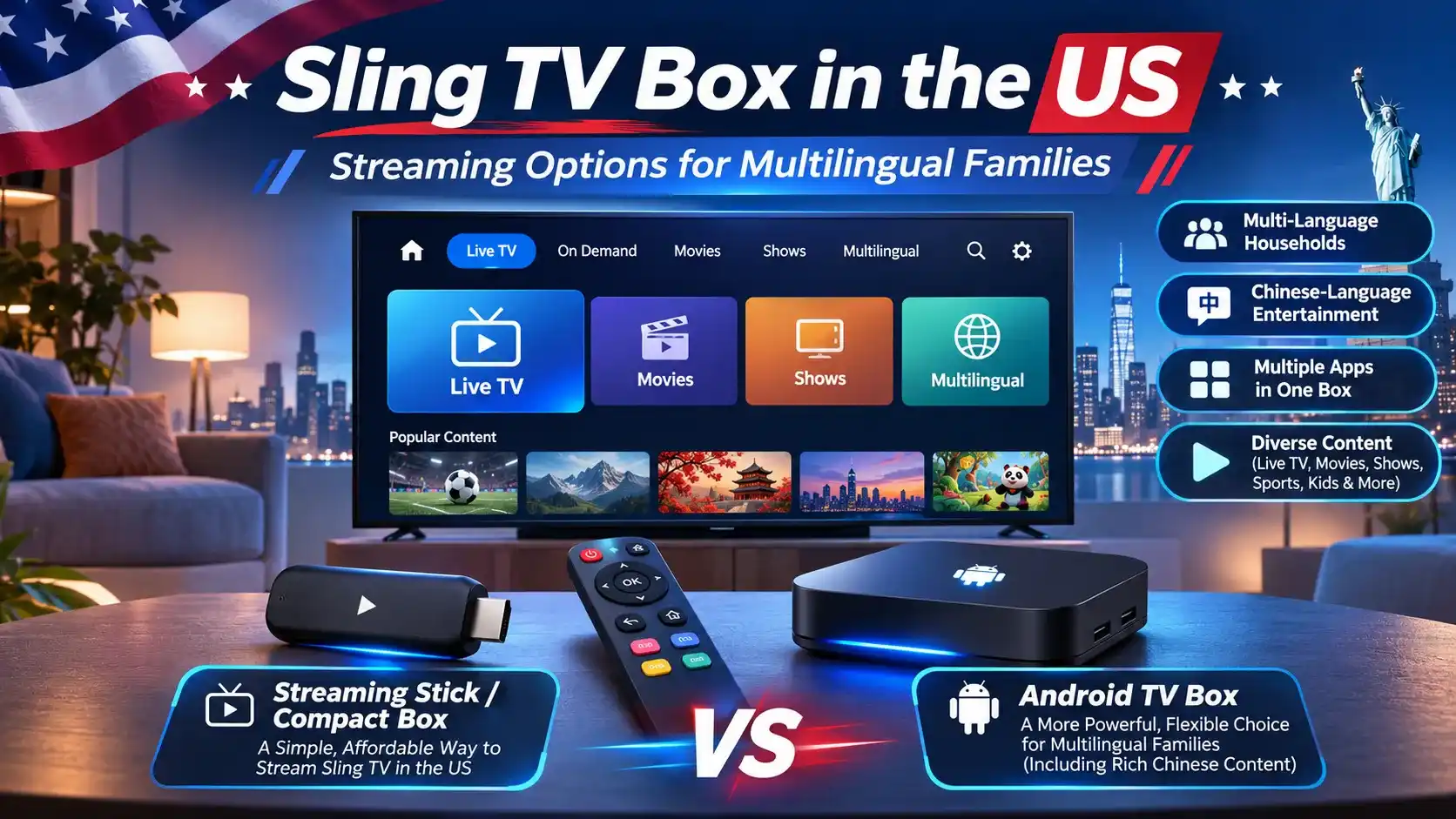
Looking for a Sling TV box to watch live TV, sports and entertainment in the US? Sling TV works on various streaming devices, but not every box offers the same compatibility or features. Understanding your options can help you avoid buying the wrong device.
This guide explains what a Sling TV box is, compares compatible streaming devices, and covers setup and subscription costs. You’ll also discover alternatives for households interested in Chinese-language and international entertainment.
What Is a Sling TV Box ?
A Sling TV box generally refers to a streaming device used to watch Sling TV on a television. However, Sling TV is primarily an internet-based live TV service, not a standalone TV box you must purchase.
The term can also appear in advertisements for third-party devices, so it’s important to understand what you’re actually buying.
Sling TV Service vs Streaming Hardware
- Sling TV: A streaming service offering live channels and on-demand entertainment over the internet. Access to paid channels requires an appropriate subscription.
- Streaming hardware: Devices such as Roku, Fire TV, Apple TV and supported Android TV models can run the Sling TV app.
- No special box required: If your existing smart TV or streaming device supports Sling TV, you may not need to buy additional hardware.
- Separate costs: Purchasing a streaming box doesn’t automatically include a paid Sling TV subscription.
AirTV Devices and Third-Party “SlingTV Box” Products
Some devices have closer connections to Sling TV than others, but they don’t all serve the same purpose.
- AirTV Mini: A streaming player designed to work with Sling TV and other supported entertainment apps.
- AirTV 2 and AirTV Anywhere: Devices that connect to an over-the-air antenna and integrate available local broadcast channels into the Sling TV experience. Channel reception depends on your location.
- Third-party “SlingTV Box” products: Be cautious of devices promising lifetime access to premium channels for a single payment. A product previously advertised under a similar name was reported to have no affiliation with the official Sling TV service.
Bottom line: You don’t need a dedicated Sling TV box to watch Sling TV. Choose a device that officially supports the app, and verify the seller before purchasing any product advertised under the Sling TV name.
Which Streaming Boxes Support Sling TV in the US?
You don’t need a special Sling TV box to stream live TV in the US. Sling TV works on several popular streaming platforms, including Roku, Amazon Fire TV, Apple TV and select Android TV devices.
However, compatibility depends on the specific model and software version. Here’s how the main options compare:
What about other Android TV boxes? Some Android-based devices offer flexible app installation, but having Android software doesn’t automatically make a box compatible with Sling TV. Always confirm official support before purchasing, particularly with less common or international models.
If you’re comparing streaming devices beyond Sling TV compatibility, explore our guide to the best TV boxes in the US for a broader look at popular options, features and buying considerations.
How to Set Up Sling TV on a Streaming Box
Setting up Sling TV on a streaming box is straightforward if your device officially supports the app. You’ll need a stable internet connection and a compatible Roku, Fire TV, Apple TV or Android TV device.
Install and Sign In to the Sling TV App
- Connect your device: Plug your streaming box into your TV’s HDMI port, turn it on and connect to Wi-Fi or Ethernet.
- Open the app store: Visit the Roku Streaming Store, Amazon Appstore, Apple App Store or Google Play Store, depending on your device.
- Find Sling TV: Search for the official Sling TV app, then select Install, Download or Add Channel.
- Sign in: Launch Sling TV and enter your account credentials or follow the on-screen sign-in instructions.
- Start watching: Browse the available channels and programmes included in your subscription or free viewing options.
What to Do If Sling TV Isn’t Available
If you can’t find the app or it doesn’t work correctly, try these steps:
- Check device support: Confirm that your exact streaming box model and operating system are supported by Sling TV.
- Update your software: Install available system and app updates, then search for Sling TV again.
- Check your location: Sling TV is intended for use in the US. Regional restrictions or VPN connections may interfere with access.
- Restart the device: If the app freezes or fails to load, restart your streaming box and check your internet connection.
- Avoid unofficial downloads: If Sling TV isn’t available through your device’s supported app store, don’t assume that installing an APK will make it compatible.
Setup tip: If your streaming box isn’t officially supported, using a compatible device is generally more reliable than trying to force an unsupported installation.
What If You Want More Than Sling TV?
Sling TV is a convenient option for watching supported US live channels, sports and entertainment. But for some households, especially Chinese-speaking families living in the US, entertainment needs may extend beyond American television.
If your family also enjoys Mandarin dramas, Cantonese programmes or international entertainment, a multi-purpose Android-based TV box may be worth exploring.
When a Multi-Purpose Android Box Makes Sense
An Android-based TV box may appeal to households that want to explore different types of entertainment through compatible apps.
- Chinese-speaking families: Households interested in Mandarin dramas, Cantonese programmes and entertainment from mainland China, Hong Kong and Taiwan.
- International entertainment fans: Viewers who want to explore movies, TV shows and entertainment apps beyond their regular US streaming subscriptions.
- Multilingual households: Families with different language preferences who want to use compatible entertainment apps on one device.
For Chinese-speaking households exploring Android-based entertainment options, the EVPAD official store offers TV boxes designed for international users, including families interested in Mandarin and Cantonese entertainment.
EVPAD 12P as an Alternative
For families interested in Chinese-language and international entertainment, the EVPAD 12P is an Android-based TV box worth considering alongside mainstream streaming devices.
- Hardware and performance: Android 12, 4GB RAM, 64GB storage and Wi-Fi 6 for a connected home entertainment setup.
- Entertainment features: A voice remote and karaoke functionality add options beyond conventional TV streaming.
- Chinese-language viewing: Families can explore compatible apps offering Mandarin, Cantonese and other international entertainment, subject to US availability and content rights.
Important: EVPAD 12P is not an official Sling TV box, and Sling TV compatibility on this specific model has not been confirmed. If Sling TV is your main priority, choose a device officially supported by Sling.
If your household places greater importance on exploring Chinese-language and international entertainment, visit the EVPAD 12P product page to review its features and determine whether it meets your viewing needs.
Looking for More Chinese-Language Entertainment?
Discover the EVPAD 12P, an Android-based TV box featuring 4GB RAM, 64GB storage, Wi-Fi 6 and a voice remote. Explore its features and compatible international entertainment options to see whether it suits your household.