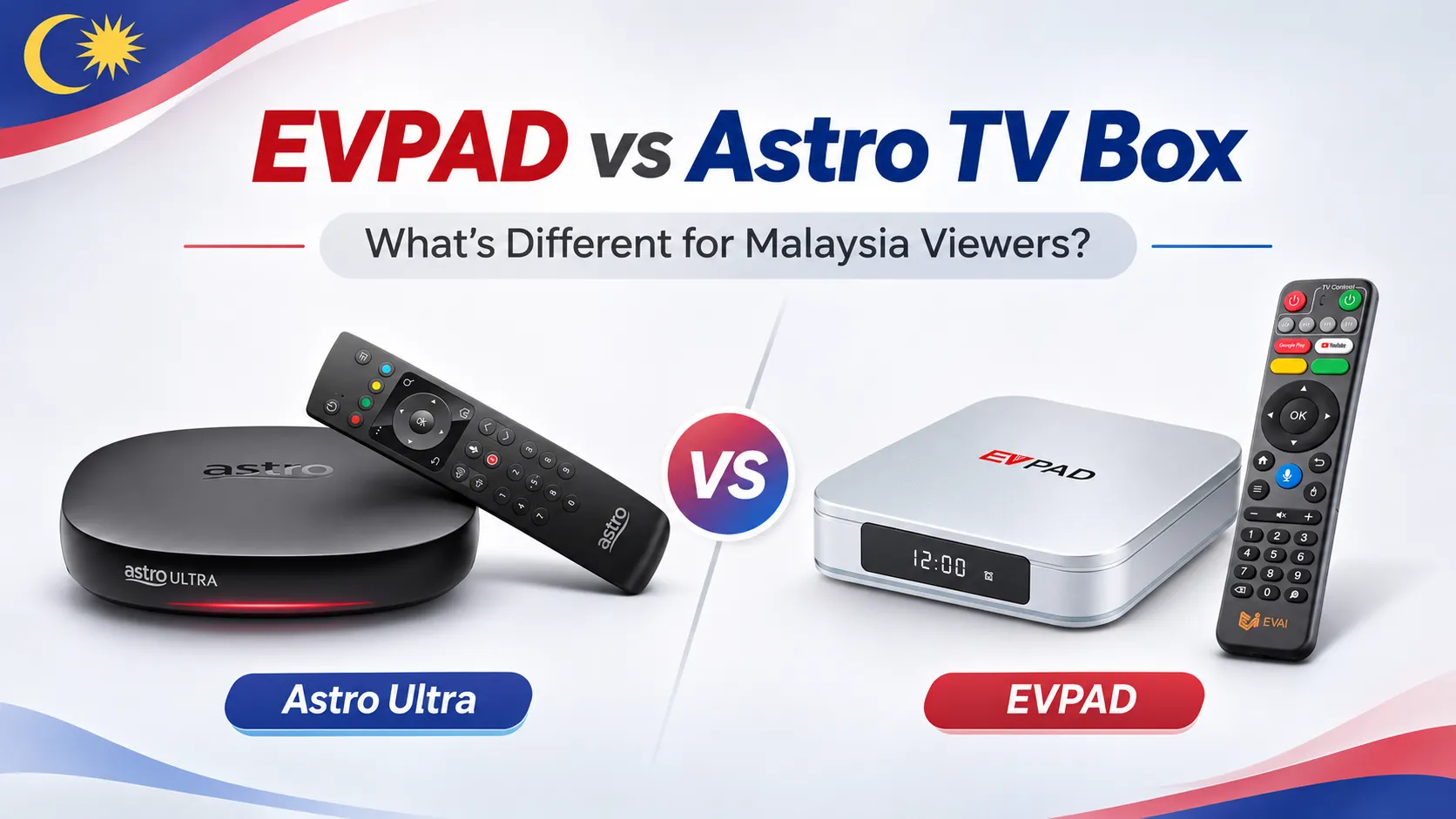
Choosing between EVPAD vs Astro TV Box in Malaysia? EVPAD is an Android TV box designed for using compatible streaming apps, while Astro TV Box is part of Astro’s television service, offering channels and features based on your subscription package.
This comparison covers TV channels, streaming apps, picture quality, internet requirements, and overall costs to help you decide which option better suits your viewing habits and budget.
EVPAD vs Astro TV Box: Key Differences at a Glance
The main difference between EVPAD and Astro TV Box is how they deliver entertainment. EVPAD is an Android-based streaming device, while Astro TV Box is designed to work within Astro’s subscription television ecosystem in Malaysia.
In short: EVPAD offers flexibility in choosing compatible streaming applications, while Astro provides a more integrated television experience built around its own subscription services. Neither option automatically includes access to every paid channel or streaming platform.
TV Channels, Streaming Apps and Content Access
Astro TV Box provides access to Malaysian and international TV channels, live sports, movies, and entertainment through Astro subscription packages. The channels you can watch depend on your selected package and any additional content entitlements.
Astro’s Ultra and Ulti Box also support selected streaming services, including Netflix, Disney+, Prime Video, iQIYI, and Viu. However, app availability varies by box model, and access to paid content requires the appropriate subscription or activation.
EVPAD TV Box, on the other hand, lets users access content through compatible Android applications and independent streaming services. This offers more flexibility in choosing apps, but compatibility is not guaranteed for every platform. Some services may require certified devices, supported software, or separate accounts.
The key distinction: Astro offers a managed TV channel and streaming ecosystem, while EVPAD gives users more control over which compatible apps they use. Buying an EVPAD box does not automatically provide access to Astro’s subscription channels or other paid streaming services.
Device Features, Picture Quality and Internet Setup
Device Features and Viewing Controls
EVPAD runs on Android, with hardware features varying by model. For example, the EVPAD 12P includes Android 12, 4GB RAM, 64GB storage, Wi-Fi 6, and HDMI output. It is designed for users who want a standalone streaming device with flexible app management.
Astro Ultra and Ulti Boxes focus on television viewing features, including cloud recording, video on demand and Play From Start. These integrated controls are useful for households that frequently record programs or resume shows they missed.
4K and Full HD Picture Quality
EVPAD 12P supports up to 4K video output, but actual playback resolution depends on the app, content, and display. Astro’s Ultra Box supports 4K UHD and Full HD, while the Ulti Box supports Full HD only.
A 4K-capable box does not guarantee 4K playback for every program. Your television, content source, and supported video format also matter.
Internet Connection and Installation
EVPAD connects to a television through HDMI and uses Wi-Fi or Ethernet for online streaming. The required internet speed depends on the application and video quality.
Astro offers internet-based Plug & Play setups that do not require a satellite dish. Astro specifies at least 10Mbps for HD and 30Mbps for 4K UHD on supported Plug & Play boxes, with 100Mbps or faster recommended for a smoother experience.
Upfront Cost, Monthly Fees and Long-Term Value
The main cost difference between EVPAD and Astro TV Box is how you pay. With EVPAD, you purchase the device upfront and pay separately for any streaming services that require subscriptions. With Astro, you typically pay a monthly fee for a TV package that includes access to its supported content and, for selected plans, an Astro Box.
EVPAD: Device Purchase and Optional Service Fees
EVPAD’s upfront cost depends on the model and retailer. After purchasing the box, your ongoing expenses depend on the apps and services you choose. Paid streaming subscriptions, if needed, are separate from the hardware purchase.
Astro: Monthly Packages and Contract Commitments
Astro’s box-inclusive plans currently include an Entertainment package at RM49.99 per month and a Sports package advertised at RM69.99 per month, both with a 24-month contract. At those monthly rates, the basic subscription totals would be RM1,199.76 and RM1,679.76 respectively over 24 months, before applicable taxes, installation charges, add-ons, or price changes.
To compare long-term costs fairly, calculate EVPAD’s device price plus any paid apps against Astro’s total package fees and additional charges over the same period. EVPAD may suit users who prefer choosing services individually, while Astro offers predictable monthly billing for a defined TV package.
Which Should You Choose: EVPAD or Astro?
The better choice depends on whether you prefer a flexible Android streaming device or a managed television service with an established channel lineup.
Choose EVPAD If You Prefer Flexibility
EVPAD is better suited to users who want control over their streaming setup. It is worth considering if you:
- Prefer choosing and managing compatible Android apps yourself.
- Want a standalone streaming box without committing to a TV provider’s package.
- Are comfortable checking app compatibility and managing streaming accounts independently.
EVPAD may be less suitable if you expect guaranteed access to specific paid TV channels or require official support from every streaming platform.
Choose Astro If You Want a Managed TV Service
Astro is better suited to households that prefer a structured television service. It is worth considering if you:
- Want an established TV package with clearly defined channel entitlements.
- Prefer a single service provider for television subscriptions and related support.
- Value an integrated viewing experience over independently managing multiple streaming services.
Astro may be less suitable if you want greater freedom to install and manage applications outside its supported ecosystem.
Our recommendation: Choose EVPAD for a more flexible, self-managed Android streaming experience. Choose Astro if your priority is a subscription-based television service with an integrated viewing experience. If you are still comparing alternatives, explore our TV box options in Malaysia.
Frequently Asked Questions About EVPAD and Astro
Can I Connect Both an EVPAD and an Astro Box to One TV?
Yes. If your television has two available HDMI ports, connect each box to a separate port and switch between them using the TV remote. If your TV has only one HDMI port, an HDMI switch can help you connect both devices.
Can I Use an EVPAD TV Box When Travelling Outside Malaysia?
Yes, you can take an EVPAD box abroad and connect it to a compatible TV and internet connection. However, check the power adapter requirements before travelling. Streaming app availability and content access may vary by country, so services that work in Malaysia might not work the same way overseas.
Who Should I Contact If My EVPAD or Astro Box Stops Working?
For EVPAD hardware problems, contact your retailer or the support provider responsible for your device’s warranty. You can also check the EVPAD setup and troubleshooting FAQs for common issues.
For Astro Box or Astro service problems, contact Astro Help & Support. Astro provides official troubleshooting guidance and customer service for its television equipment.