Sale!

EVPAD 11P Android TV Box (International Version)

Rated 4.69 out of 5 based on 106 customer ratings
(106 customer reviews)

Original price was: US$289.00.Current price is: US$228.99.

& Free Shipping
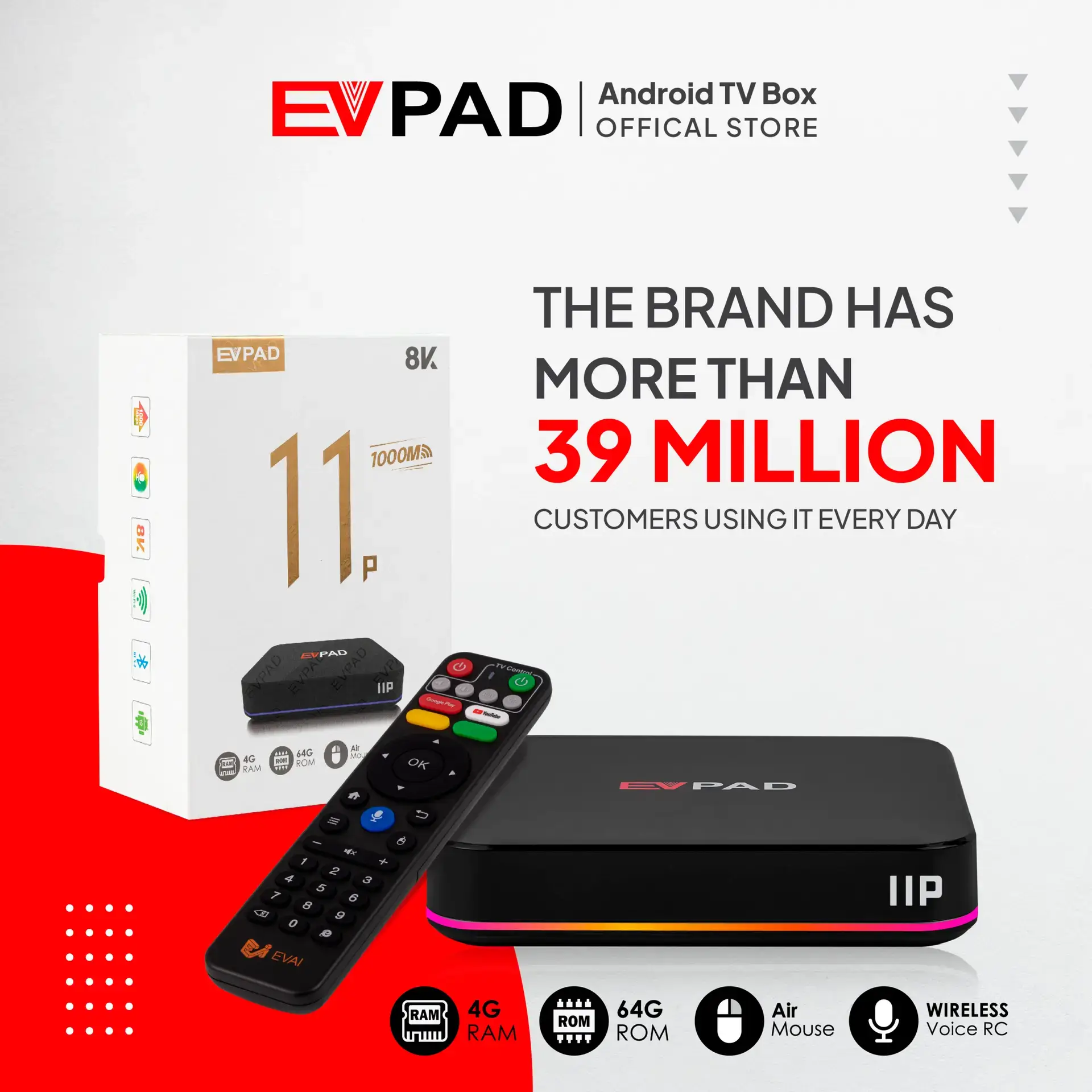
  • 4GB DDR3 Memory + 64GB eMMC Internal Storage
  • Global Access: Watch TV from around the world
  • 2025 EVPAD latest series
  • EVPAD Official Online Store. 100% Authenticity Guaranteed.
  • One-time payment, no monthly fees! Free to use forever!
  • Designed for global customers, especially overseas Chinese.
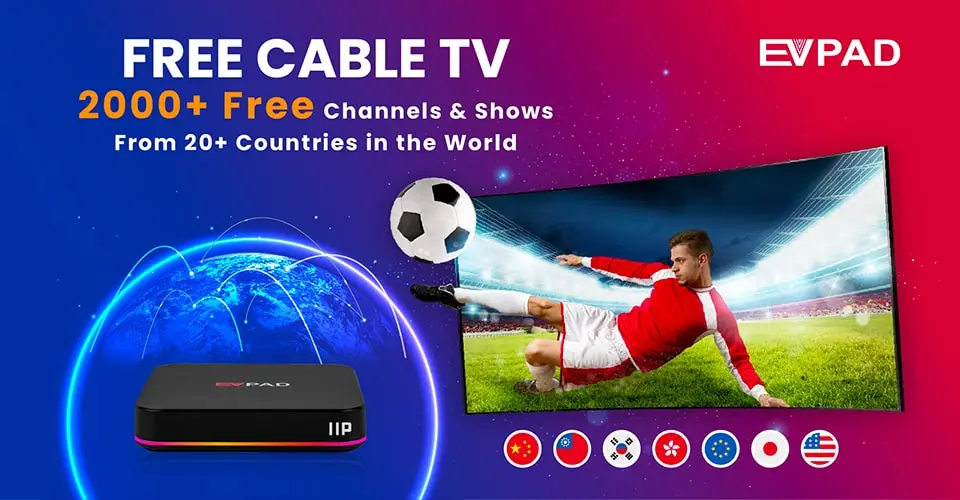
  • 2000+ free live HD TV channels worldwide and 200,000+ TV shows and movies in abundance!
  • Designed for sports fans. Watch live sports in HD for free.
- +
Guaranteed Safe Checkout

Secure, Fast, and Reliable Purchasing with Us

  • Free Worldwide Shipping (2–5 Days)
  • Secure Payment with Stripe and PayPal Payment Gateways
  • 30-Day Free Returns & Full Refund Guarantee
  • Lifetime Support & 2-Year Defect Replacement

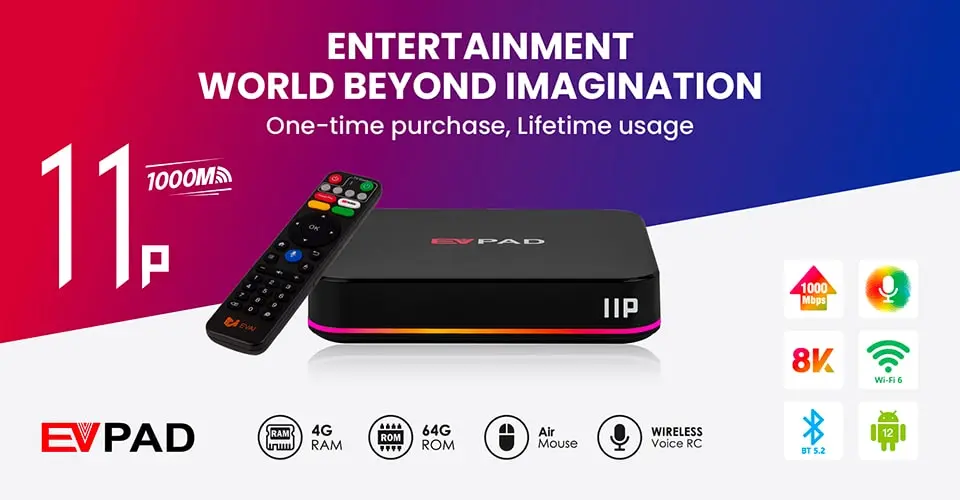
Step Into a World of Exceptional Entertainment with the EVPAD 11P (International Version) TV Box

Discover the EVPAD 11P (International Version) – a powerful Android TV box that supports 4K streaming and offers global channels with a smooth entertainment experience. Enjoy the latest apps, features, and more — all in one device that meets every need. Upgrade your home entertainment experience today! Available at the Official EVPAD Online Store with 100% authenticity guaranteed. One-time payment, no monthly fees, and free lifetime use! Designed for global customers, especially overseas Chinese. Access over 2,000 global free live HD TV channels and a vast library of more than 200,000 shows and movies! Perfect for sports fans — enjoy HD live sports for free.


EVPAD Versions Comparison

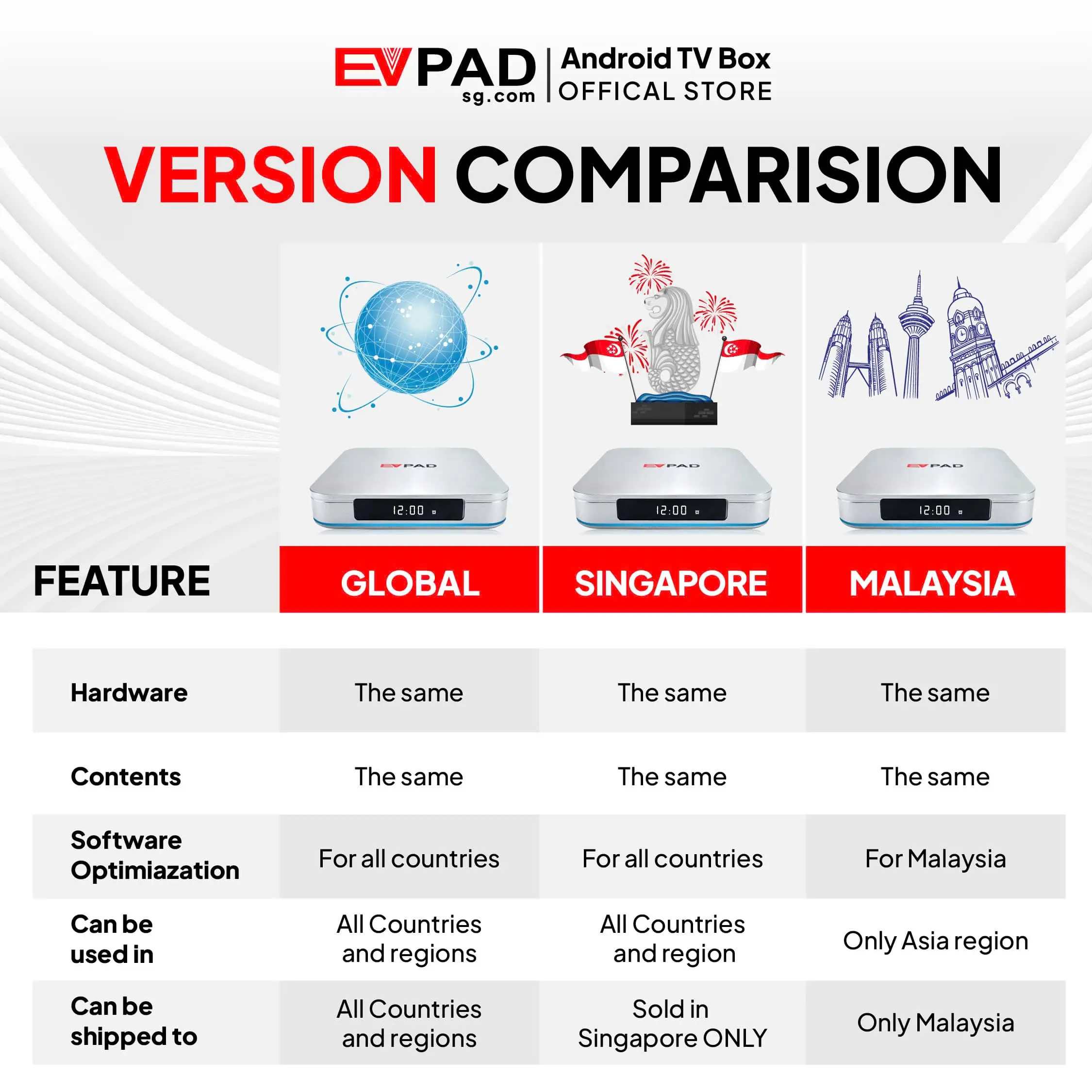
All EVPAD versions — Global, Singapore, and Malaysia — share the same hardware and content. The key differences are in software optimization and regional availability.

  • The Global Version (International Version) is optimized for all countries and regions, making it suitable for worldwide use.
  • The Singapore Version (Merlion Version) This version is ONLY sold in Singapore. Starting from November 20, 2025, the Singapore edition will include all the features of the International Version.
  • The Malaysia Version is optimized for Malaysia and can only be used within Asia (excluding the North America and Europe regions).

Key Features of EVPAD 11P TV Box

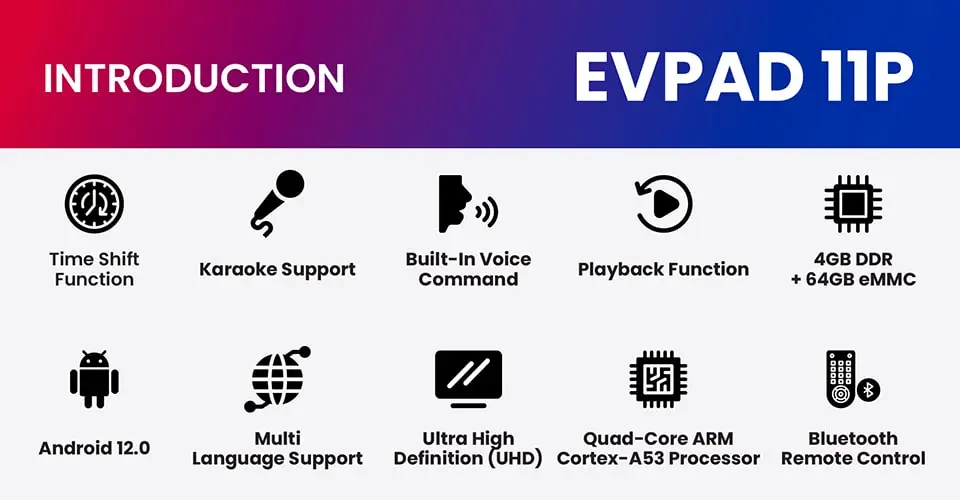
  • Revolutionary Time-Shift Function
  • Multilingual Support for Live Broadcasting
  • Android 12 Operating System
  • Upgraded Smart Remote Control
  • 4GB DDR + 64GB Storage
  • WiFi 6 Supported
  • 1000 Mbps Ethernet Port
  • Karaoke Function Supported


Original Package Contents

  • EVPAD 11P TV Box ×1
  • Voice Control Remote ×1
  • HDMI Cable ×1
  • Power Cable ×1
  • Power Plug
  • User Guide ×1

Advantages

  • Enjoy your favorite news, sports, movies, and TV channels anytime, anywhere with the most comprehensive IPTV box!
  • One-time purchase for lifetime IPTV service!
  • Advanced voice command feature for searching live TV and VOD!
  • 24/7 online customer service ready to assist anytime!

Exclusive Apps

  • Venus Live v11: Access over 2,000 live TV channels & over 200,000 VODs updated daily from more than 20 countries (Mainland China, Japan, Hong Kong, Taiwan, Malaysia, Singapore, the U.S., Canada, and more).
  • Playback: Watch replays of all channels up to 8 hours, and access playback for more than 85 live channels from the past 7 days — never miss a moment!
  • KTV: Enjoy thousands of popular karaoke songs updated weekly.
  • Secret Garden App: Adult-only movie app with over 5,000 curated titles, updated weekly.

Watch Your Favorite Content Anywhere – Completely Free

EVPAD gives you access to over 2,000 live TV channels (including premium ones) from more than 20 countries, so you’ll never wonder what to watch while traveling or living abroad. Plus, enjoy over 200,000 VOD titles, including the latest and most popular shows updated daily — all completely free. No monthly fees, no VIP memberships, save hundreds of dollars every year. All you need is a stable internet connection. EVPAD is the perfect companion for both home entertainment and travel.


Exclusive Adults-Only App (18+)

Experience a premium adult-only app designed exclusively for users aged 18 and over. Featuring more than 5,000 carefully selected titles across diverse categories, updated weekly. It provides a safe, private, and user-friendly viewing environment. With password protection enabled, you can rest assured that inappropriate content remains inaccessible to children, ensuring a worry-free experience.



EVPAD 11P Smart Control: Smoother, Simpler, Smarter

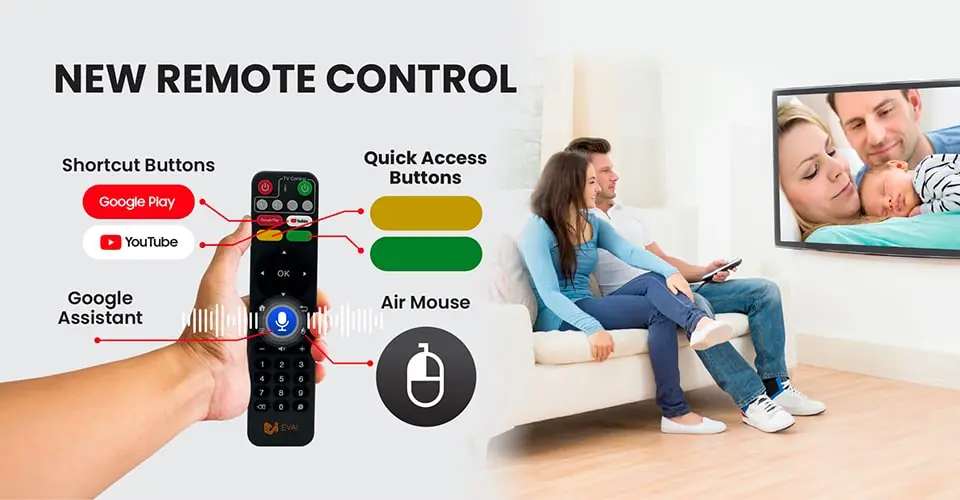
The EVPAD 11P comes with an upgraded smart remote and Google Assistant for a seamless and intelligent control experience. With air mouse functionality, shortcut keys, and customizable buttons, it offers smooth operation and quick access to your favorite functions. Voice control lets you search for content, adjust the volume, or operate smart devices easily — all hands-free for ultimate convenience.


EVPAD 11P Karaoke: Turn Your Home into a Party Stage Anytime

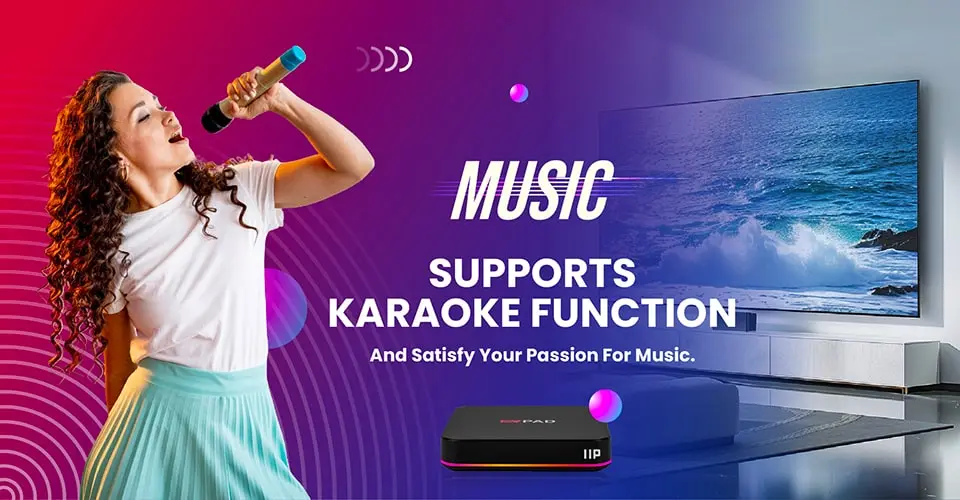
The EVPAD 11P features a full karaoke function that transforms your living room into a lively stage. With thousands of the latest hit songs updated weekly, the karaoke app is perfect for family gatherings, parties, or solo practice. Enjoy stable performance and high-quality sound for an immersive and entertaining singing experience.


Innovative Time-Shift Function

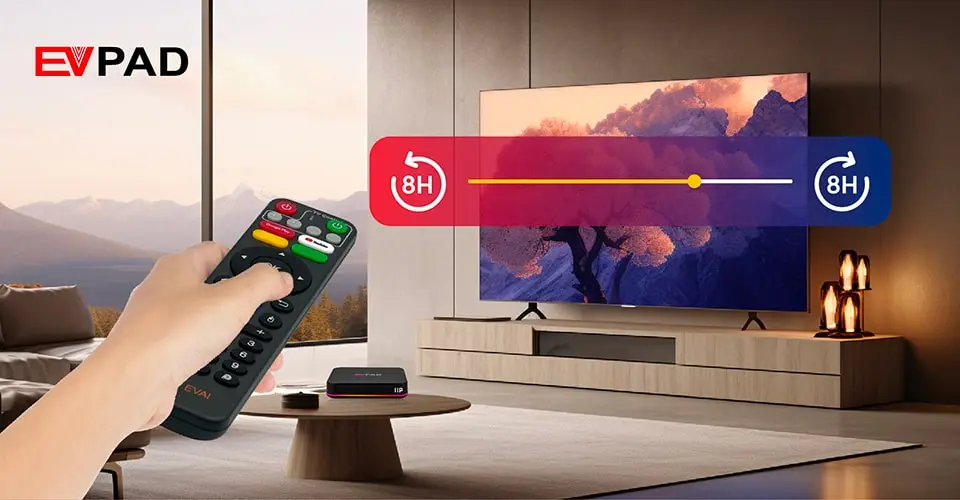
The EVPAD TV Box sets a new standard in the IPTV industry with its innovative time-shift feature. Instantly watch the last 8 hours of any program with one click, and for some channels, replay up to 7 days of content. Never miss a special moment again — enjoy your favorite shows with flexibility and ease.


Specification

Model Specifications EVPAD – 11P
Solution Allwinner H618 Quad core 4K HDR 10bit
CPU Quad-core A53 64Bit
GPU G31
OS Android 12.0
Memory 4G DDR3
Flash 64G EMMC 5.0
Wifi IEEE 802.11 a/b/g/n/ac /ax 2.4Ghz +5.1&5.8Ghz
BT BT V5.2+BLE/V3.0/V2.1+EDR
Lan 1000M standard RJ45
Video output Support 4K×2K & Full HD1080P@60 fps video output
Audio MPEG L1/L2
AAC–LC and HE AAC V1/V2 decoding
APE, FLAC, OGG, AMR–NB, and AMR–WB decoding
G.711(u/a) audio decoding
G.711(u/a), AMR–NB, AMR–WB, and AAC–LC encoding
Photo PG, JPEG, BMP, GIF, PNG, JFIF
Language
English French German Spanish Italian etc multilateral languages
Remote control Support Infrared / 2.4G remote control
Power supply Input 100~240V output DC 5V/2A
Front Panel Colorful lamp
LED Display
I/O 1* DC IN
2* IR Extension
3* LAN (1000M)
4* HDMI
5* AV–OUT
6* SPDIF
7* USB *2
8* TF–Card
Others machine size: 969619mm
machine weight: ≤100g

FAQs

What is the difference between EVPAD Merlion (Singapore version) and the Global version?

The Merlion Version (Singapore Version) has all the same features as the International Version; however, this edition is distributed exclusively in Singapore (updated on November 20, 2025).

The EVPAD Malaysia version is optimized for Malaysia with local apps and performs better in Southeast Asia. It offers the same content as the Global version but cannot be used in North America or Europe.

EVPAD 11P comes with 64GB storage and 4GB RAM, delivering better performance and more content—ideal for heavy users. EVPAD 11S has 32GB storage and 2GB RAM, making it a more budget-friendly option with fewer contents. Both run Android 12, but the 11P is better suited for users who need more storage, speed, and content. Click HERE for the full comparison.

EVPAD 11 runs Android 12, has faster LAN, more features (like Air Mouse, Google Assistant, and Karaoke), and better performance (4GB RAM, 64GB storage). EVPAD 10 runs Android 10 and offers fewer features compared to version 11.

Our TV boxes are easy to use.
You can watch tutorial videos on YouTube to learn how to install apps and use the TV box Here

You can check the Channels List via this Link

EVPAD 12P Review

Set up your 12 Version EVPAD

EVPAD 11P Review

Set up your 10-11 Version EVPAD

106 reviews for EVPAD 11P Android TV Box (International Version)

4.7
Based on 106 reviews
5 star
83
83%
4 star
8
8%
3 star
2
2%
2 star
1
1%
1 star
2
2%

Customer Images

Image #1 from Robert B. Hamilton
Image #2 from Robert B. Hamilton
Image #1 from ronald
Image #1 from Keith
Image #1 from Mark S.
Image #2 from Mark S.
Image #1 from Amazon Customer
Image #1 from yoki
Image #1 from KB
Image #1 from Robert B. Hamilton

Robert B. Hamilton

What can you say? It's a TV box that gives you essentially a top tier cable package for a one time payment. There is nothing illegal about an android box with a video card. The questionable part is the software that downloads once you boot up. You are connected to two IPTV sources - Blue TV (with a backup feed) and Prime TV (not related to Amazon's Prime Video service). Prime is too glitchy to use but Blue TV is reasonable. The video quality is a bit soft and mildly fuzzy at 1080P. Sound is fine. The box is from China so as a precaution I put it behind a 2nd router to keep it off my primary network. As for features, the Video On Demand channels have a good selection of fairly current movies and popular TV series. A few of the channels are glitchy and freeze up, especially the "adult" video selections and international channels like Canadian TV. There are some interesting features like a 7 week recording of about 85 popular channels making it easy to jump back and pick up a show you missed from a few days back. Or TimeShift that lets you rewind the past few hours. Most of the large regional locals (Denver, Phoenix, LA, etc) are well represented. There is no provision for setting up your own personal DVR. I should point out that IPTV has been around quite a while. You can get a subscription to an IPTV service and duplicate all of this for a fraction of the cost on a Firestick. But for a simple all-in-one pre packaged service, this one is very simple to set up.

(0) (0)
Image #2 from Robert B. Hamilton

Robert B. Hamilton

What can you say? It's a TV box that gives you essentially a top tier cable package for a one time payment. There is nothing illegal about an android box with a video card. The questionable part is the software that downloads once you boot up. You are connected to two IPTV sources - Blue TV (with a backup feed) and Prime TV (not related to Amazon's Prime Video service). Prime is too glitchy to use but Blue TV is reasonable. The video quality is a bit soft and mildly fuzzy at 1080P. Sound is fine. The box is from China so as a precaution I put it behind a 2nd router to keep it off my primary network. As for features, the Video On Demand channels have a good selection of fairly current movies and popular TV series. A few of the channels are glitchy and freeze up, especially the "adult" video selections and international channels like Canadian TV. There are some interesting features like a 7 week recording of about 85 popular channels making it easy to jump back and pick up a show you missed from a few days back. Or TimeShift that lets you rewind the past few hours. Most of the large regional locals (Denver, Phoenix, LA, etc) are well represented. There is no provision for setting up your own personal DVR. I should point out that IPTV has been around quite a while. You can get a subscription to an IPTV service and duplicate all of this for a fraction of the cost on a Firestick. But for a simple all-in-one pre packaged service, this one is very simple to set up.

(0) (0)
Image #1 from ronald

ronald

Very happy with this product 👍

(0) (0)
Image #1 from Keith

Keith

Great product

(0) (0)
Image #1 from Mark S.

Mark S.

Is awesome, tell you why I gave only 4 stars though. You get all the channels and sports events you need. The 4 major sports and many more, local and foreign sports. Network TV from about every state, movies... The issue I had was that the picture did freeze on me occasionally. The fix is simple and cheap, a small Joey satellite cable box(shown in pics) I had one here, and just ordered another one as I just purchased another EVPAD, it needs two things for the fix. Coax cable input and an Ethernet jack(circled in red). It doesn't have to be a Joey box, it just needs coax and ethernet in and out puts respectfully. So, the hook up, wall cable jack to "Joey" box, ethernet from "J" box to EVPAD, HDMI from EVPAD to TV. Easy enough? Do not get a coax cable to ethernet converter, it did not work. You don't need cable just home internet access and cable wall jack, that is my setup and it's working great, NO more picture freezing. When setting up apps in the store(is on EVPAD already) use the ANDROID store to get the Blu apps you need, they are free. You'll understand when you get it. All in all I spent less than about $250.00 and that is all, no monthly fees, subscriptions... Compare that to Youtube tv, NFL network or other sports apps you either are or will pay what? $600.00 a YEAR. What's better $250.00 once or $600.00 per year, and you know those cost will go up, we see it with cable all the time. If you decide to buy one, take my advice do what I did, you'll be happy you did. Sorry I rambled on but if you want a EVPAD this is the way to do it. They recommend a Network antenna, tried it, waste of time and effort. If you get one enjoy, I am. TV antenna was $50.00 the Joey boxes range between $20.00 to $30.00 on ebay. The EV box is a no brainier!

(0) (0)
Image #2 from Mark S.

Mark S.

Is awesome, tell you why I gave only 4 stars though. You get all the channels and sports events you need. The 4 major sports and many more, local and foreign sports. Network TV from about every state, movies... The issue I had was that the picture did freeze on me occasionally. The fix is simple and cheap, a small Joey satellite cable box(shown in pics) I had one here, and just ordered another one as I just purchased another EVPAD, it needs two things for the fix. Coax cable input and an Ethernet jack(circled in red). It doesn't have to be a Joey box, it just needs coax and ethernet in and out puts respectfully. So, the hook up, wall cable jack to "Joey" box, ethernet from "J" box to EVPAD, HDMI from EVPAD to TV. Easy enough? Do not get a coax cable to ethernet converter, it did not work. You don't need cable just home internet access and cable wall jack, that is my setup and it's working great, NO more picture freezing. When setting up apps in the store(is on EVPAD already) use the ANDROID store to get the Blu apps you need, they are free. You'll understand when you get it. All in all I spent less than about $250.00 and that is all, no monthly fees, subscriptions... Compare that to Youtube tv, NFL network or other sports apps you either are or will pay what? $600.00 a YEAR. What's better $250.00 once or $600.00 per year, and you know those cost will go up, we see it with cable all the time. If you decide to buy one, take my advice do what I did, you'll be happy you did. Sorry I rambled on but if you want a EVPAD this is the way to do it. They recommend a Network antenna, tried it, waste of time and effort. If you get one enjoy, I am. TV antenna was $50.00 the Joey boxes range between $20.00 to $30.00 on ebay. The EV box is a no brainier!

(0) (0)
Image #1 from Amazon Customer

Amazon Customer

First — 1,700+ channels. All the sports you could possibly consider! Every movie channel, with a detailed schedule to ensure you never miss your favorite movie. Frankly, it’s a tad overwhelming at first until you figure out how to navigate the massive amount of content. Lastly, expect some “freezing.” Even with T-Mobile internet speeds of 8-12mbs, sometimes it “buffers.” But, I’ve found that exiting the channel and reloading it usually solves the freezing problem. STOP PAYING MONTHLY FOR CABLE CHANNELS. THIS DEVICE AND ITS ONE-TIME COST IS WORTH IT — FOR SURE!👍

(0) (0)
Image #1 from yoki

yoki

The first box received was defective: would not connect to Wi-Fi, crashed during setup on LAN, froze with the message "Can't load Android system" and would not reset. Immediately started the return process for a replacement and right away received the message that a new box is on the way. Received the replacement after 4 days and it works as supposed. Defective products do exist, it's the way vendors deal with the situation that matters. Happy customer here!

(0) (0)
Image #1 from KB

KB

Although it delivers all the channels. My router indicated it had to block spyware from Nigeria. So I’m not sure how that was installed on this product. This is a big concern for those who don’t have proper protection on their Internet. But the box delivers all of the channels and is easy to set up and easy to access all of the channels.

(0) (0)
Image #1 from Robert B. Hamilton
Image #2 from Robert B. Hamilton
Image #1 from ronald
Image #1 from Keith
Image #1 from Mark S.
Image #2 from Mark S.
Image #1 from Amazon Customer
Image #1 from yoki
Image #1 from KB
1-5 of 106 reviews
  1. I like this evpad 11p a lot

    (0) (0)
  2. product looks good but im struggling to load

    can i speak with someone please to guide me

    tk
    Spencer 65 9186 6527

    (0) (0)
  3. I have had EV Pad 5 and 6, and this time upgraded to 11. I see a lot of improvements on the equipment and I think it is much faster. I am not a mechanic nor an engineer so I can’t tell the specifics, but it is a very refined box!

    (0) (0)
  4. Recieved in good condition and great help from Mina from CSS

    (0) (0)
  5. jätter bra .

    (0) (0)
Add a review
EVPAD 11P Android TV Box (International Version) EVPAD 11P Android TV Box (International Version)
Rating*
0/5
* Rating is required
Your review
* Review is required
Name
* Name is required
Add photos or video to your review
Shopping Cart
Scroll to Top
z6380387608463_8a417eca692bebb9d86a54df32db6513

GET 10% DISCOUNT OFF

Yeah? Sign up to get the Deal!