How to Install Venus V12 (JinXing Video v12) on EVPAD 12
Would you like to experience the latest JinXing Video v12 on EVPAD 12? This guide provides a detailed walkthrough for installing Venus V12 on EVPAD 12, along with common troubleshooting steps and practical tips to help you quickly enjoy a vast library of video content.
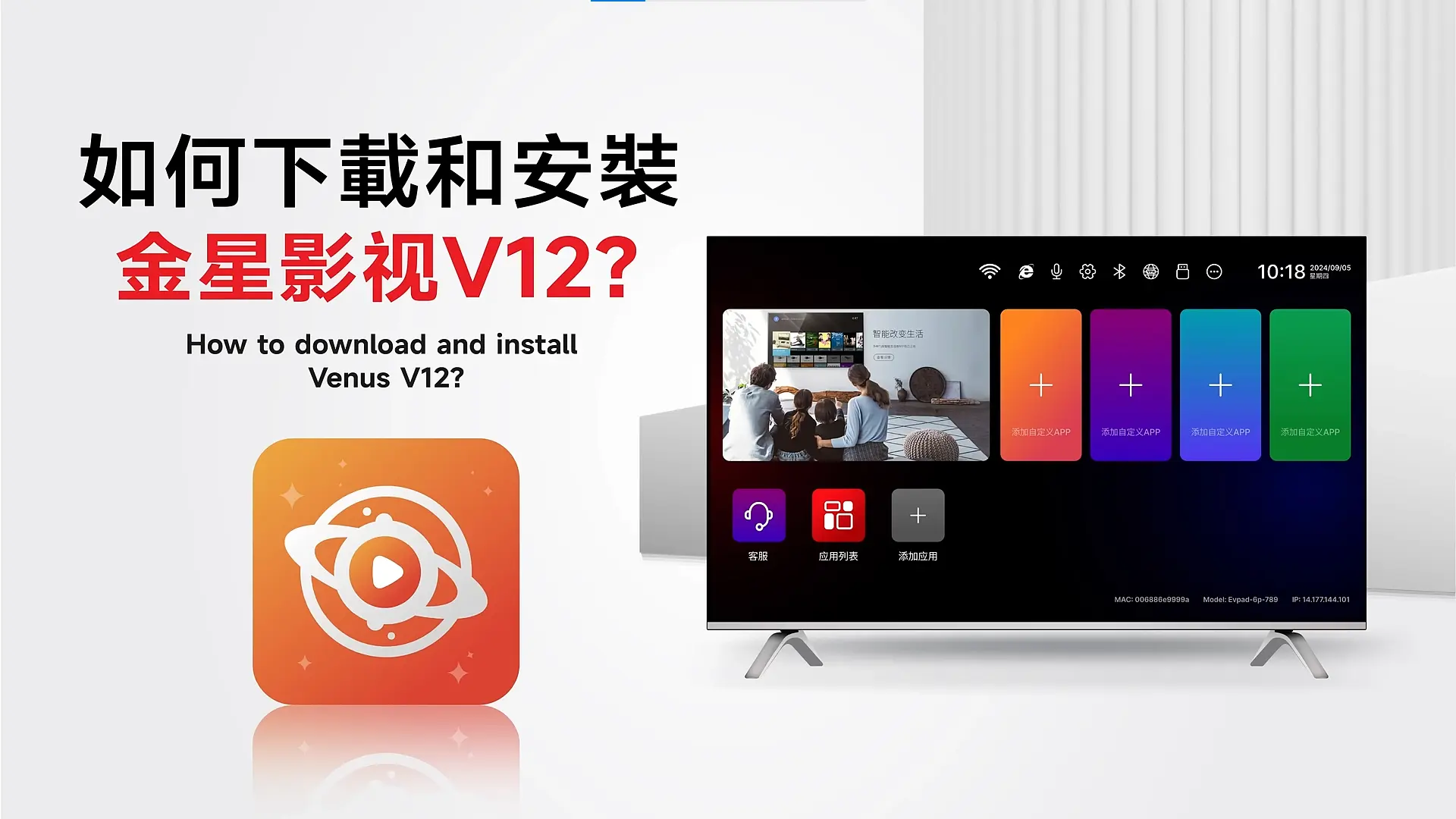
1. What is JinXing Video v12?
JinXing Video v12 (Venus V12) is an all-new streaming app officially released by EVPAD for the EVPAD 12 series (12P / 12S). It is specially designed and optimized for the latest hardware and system.
It offers a massive amount of video content, including live TV, movies, dramas, variety shows, and animations from China, Hong Kong, Taiwan, Japan, Korea, the U.S., and more.
Note: JinXing Video v12 only supports EVPAD 12 series devices (EVPAD 12P & 12S). It is not compatible with older models. Attempting to install it on older versions may cause crashes or prevent the app from running.
2. How to Download and Install JinXing Video v12 on EVPAD 12
Here are the official steps to install Venus V12 on your EVPAD 12:
Step 1: Open the Browser
On the main menu, find and click the “Browser” icon to enter the web page interface.

Step 2: Visit the Official Website
In the browser address bar, enter the official download site:
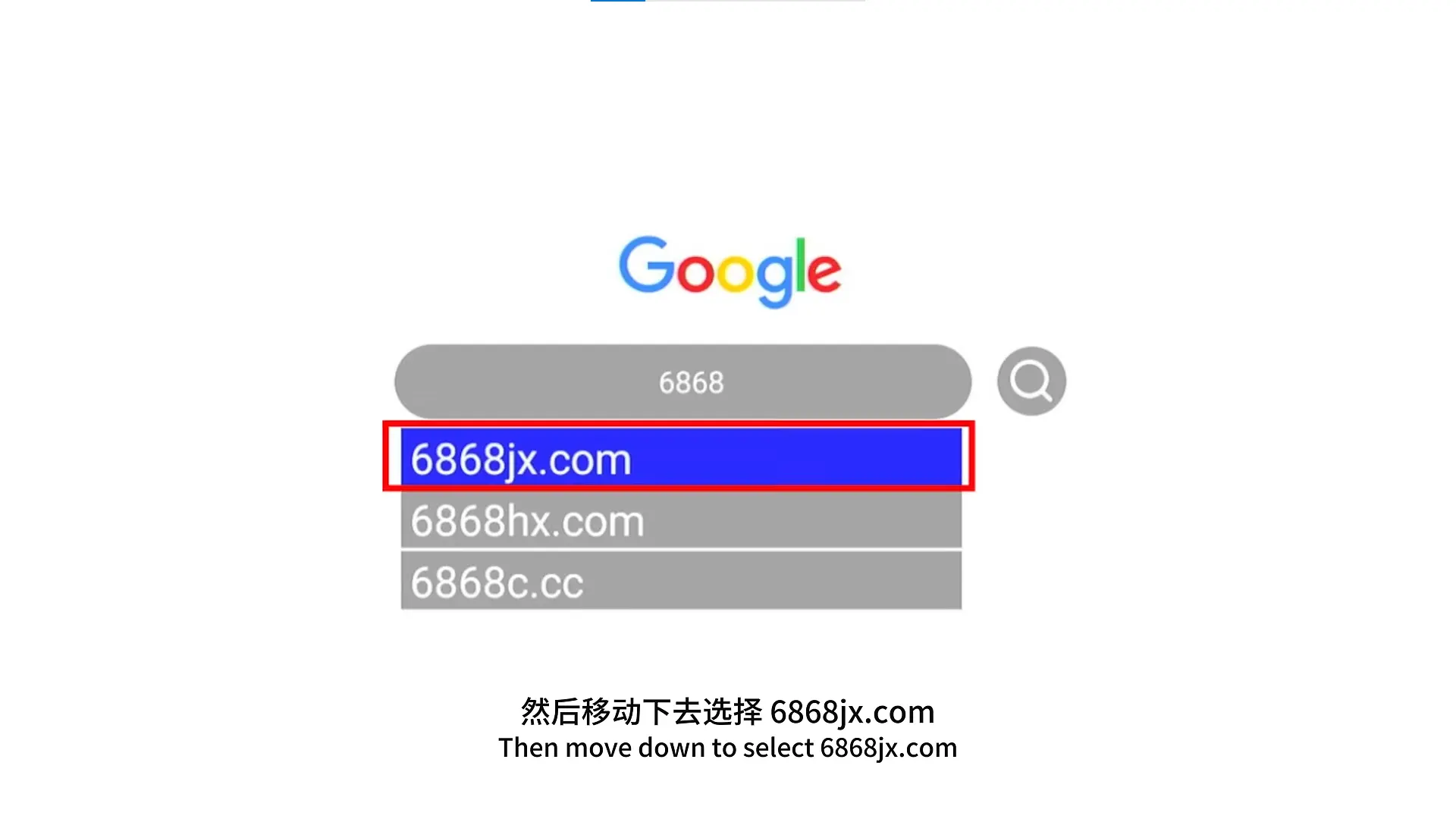
This is the officially authorized download portal for JinXing Video v12. Please do not use unofficial links.
Step 3: Download, Install, and Grant Permissions
Click on “JinXing Video v12”, wait for the installation prompt to appear, then click “Confirm” to start installation.
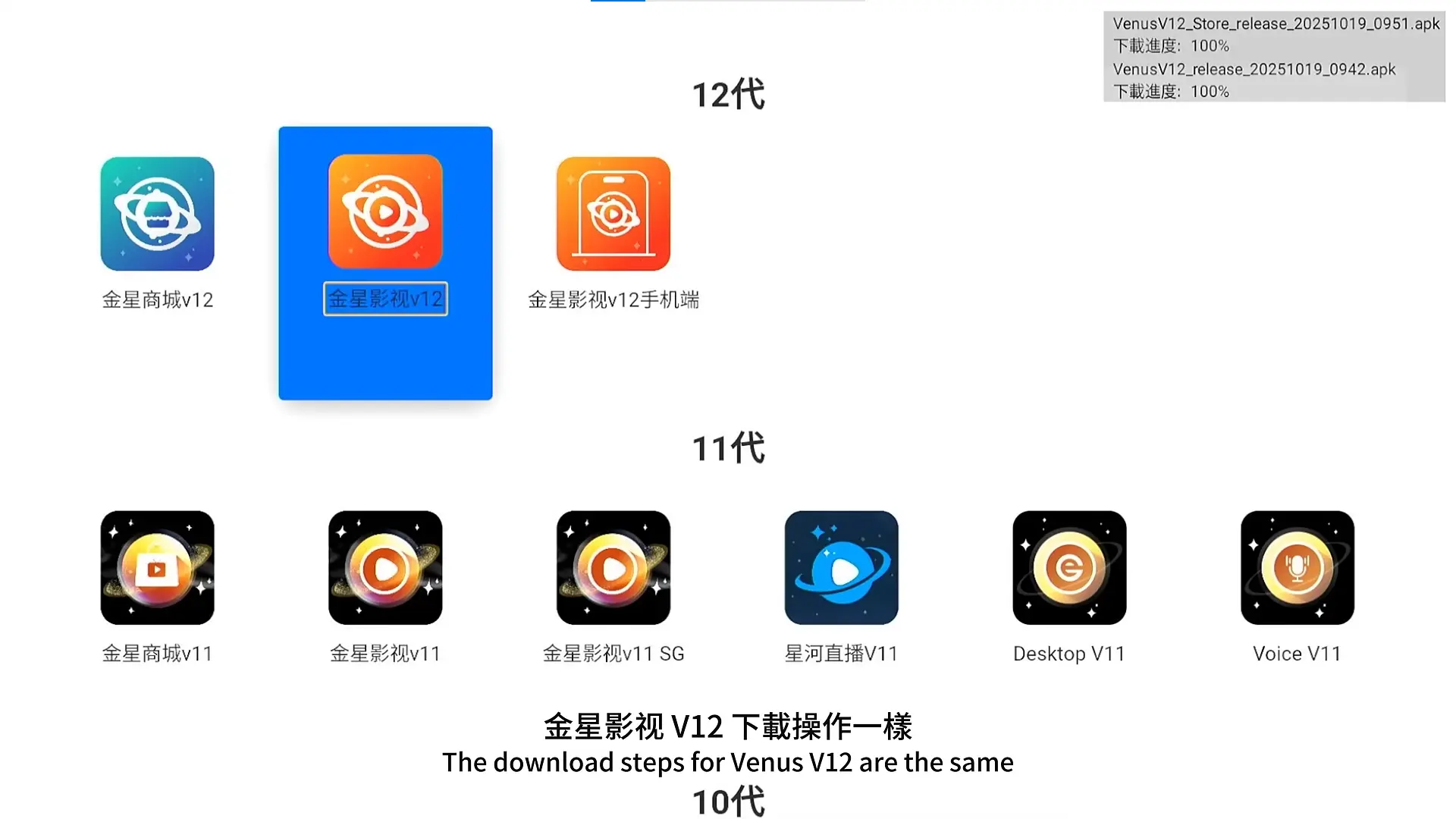
After completion, the system will automatically create an app icon — simply click to launch it.
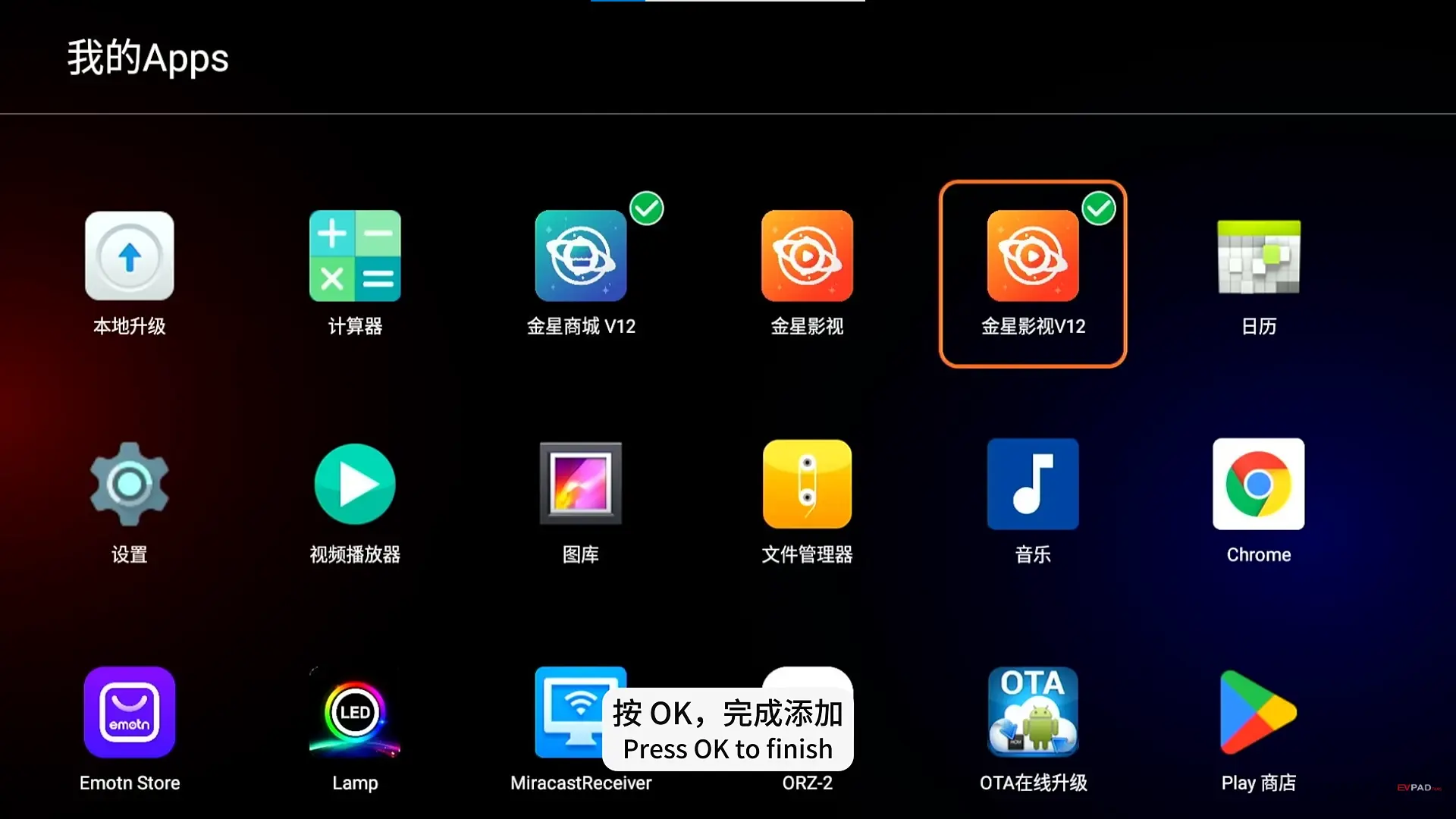
Tip: If you see a permission request, please select “Allow” to ensure the app functions normally.
3. Common Issues & Troubleshooting Tips
Q1: Installation Failed — What Should I Do?
- Check if your network connection is stable.
- Clear the browser cache and restart the box.
- If the problem persists, contact your seller or EVPAD customer service.
Q2: Unable to Access the Website — How to Fix It?
If you cannot open https://6868jx.com, try the following:
- Switch to a different browser.
- Change your network or use a mobile hotspot.
- If the issue continues, contact EVPAD official support via WhatsApp: +60 18-985 0101.
4. Conclusion
As shown above, installing Venus V12 (JinXing Video v12) on your EVPAD 12 is actually very simple. By following the official steps, you can quickly unlock a world of rich video content and enjoy smooth, high-quality streaming.
Whether you love movies, dramas, or live TV channels from around the world, EVPAD 12 meets all your needs. It’s powerful, easy to use, and—best of all—offers lifetime free access, bringing true relaxation and entertainment back to your home.
Contact Information
For support, recommendations, or to place an order, contact us directly by clicking the chat button on the bottom-left corner of the screen, or reach out via:
WhatsApp: +60 11-1180 6101
Email: customer@evpadsg.com
To purchase the latest EVPAD model, visit our shop:
https://evpadsg.com/shop/