The core design philosophy of EVPAD 12 is to respect users’ freedom of choice and right to privacy.
The system does not actively intervene in, recommend, or promote personal content. Instead, EVPAD 12 provides a clear and well-structured content management and usage control framework, allowing users to independently decide how applications are installed and used based on their own needs.
Within this framework, Secret Garden is a third-party video application intended strictly for adults (18+), operating on EVPAD 12 in a private, independent, and controlled manner.
Management Principles for Privacy-Sensitive Applications on EVPAD 12
For applications involving personal privacy, EVPAD 12 follows these principles:
-
The application is not pre-installed
-
It does not appear on the home screen or public interfaces
-
Access requires password verification each time the app is opened
As a result, unless a user actively installs the application and enters the correct access password, Secret Garden will not appear anywhere within the EVPAD 12 system interface and will not affect the viewing experience of other household members.
This design ensures a balance between diverse entertainment options, family safety, personal privacy protection, and a clean, uncluttered interface, reflecting EVPAD 12’s philosophy of openness with control.
What Is “Secret Garden” on EVPAD 12?
Secret Garden is a video application intended exclusively for adult users, installed on EVPAD 12 as a third-party app.
The application is designed with personal use and privacy protection as its core focus. Key features include:
-
Intended for personal entertainment only
-
Not visible in the system interface unless installed
-
Requires an access password upon launch, ensuring restricted use
EVPAD does not preload, promote, or actively display this application. All installation and usage decisions are made entirely by the user.
How to Install the “Secret Garden” App on EVPAD 12
Notice: This operation is recommended only for users who meet the age requirement and fully understand their own usage needs.
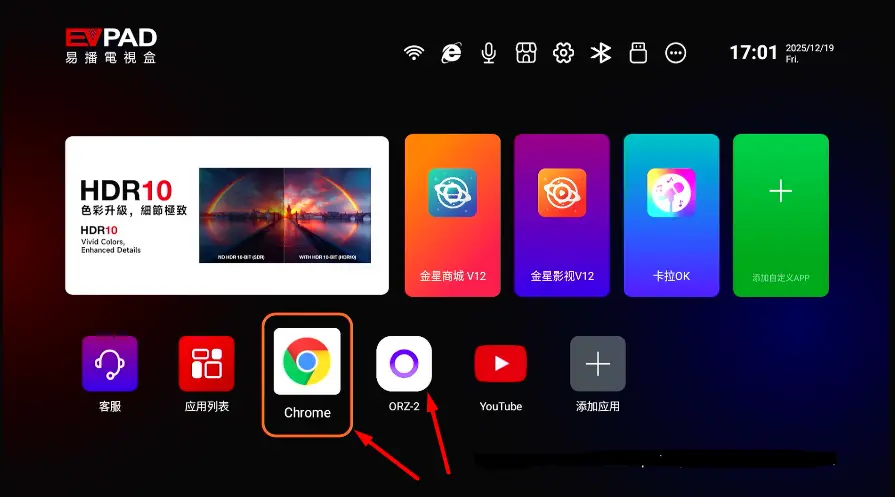
Step 1: Open a Web Browser
Use ORZ Browser or Google Chrome
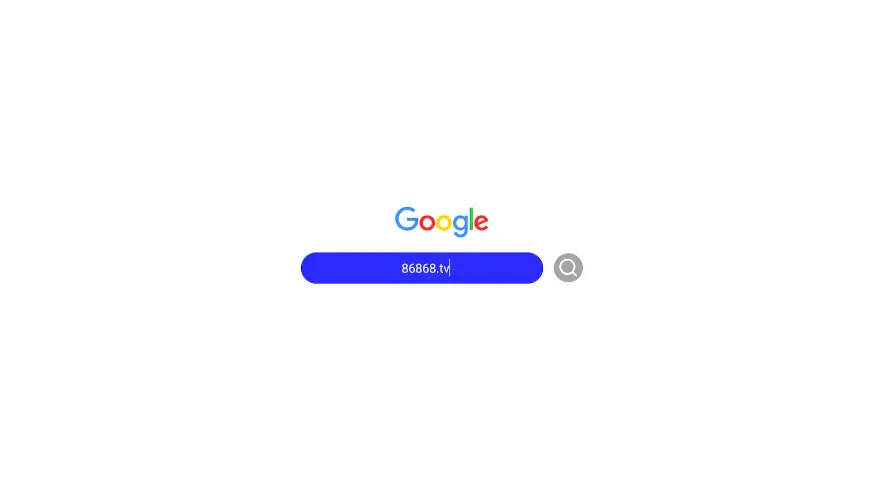
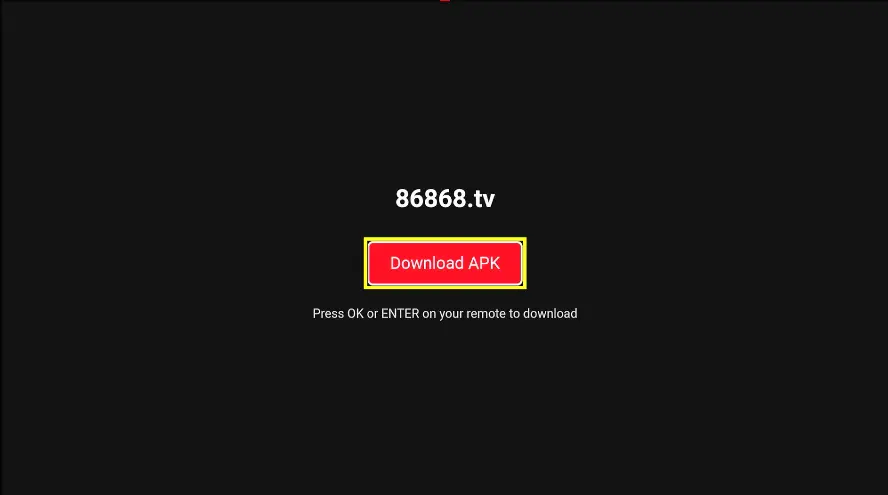
Step 2: Enter the Download Address
Visit: 86868.tv
Step 3: Download and Install the App
-
Click OK to confirm the download
-
Once installation is complete, the app will appear in the EVPAD app list
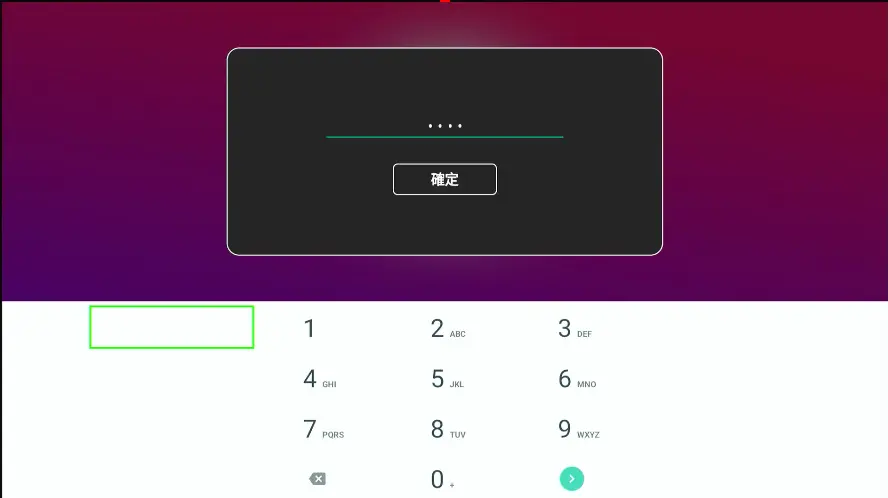
Step 4: Launch the App and Enter the Access Password
-
Access Password: 6868
Important Notes for Using Adult-Only Video Applications
-
Recommended for personal use only
-
If the device is shared with family members, avoid placing the app on the home screen
-
The app can be managed or uninstalled at any time
-
Ensure EVPAD 12 remains a safe and appropriate device for all household members
Summary
The Secret Garden app on EVPAD 12 provides adult users with a private and personalized entertainment option. Through independent installation and password-protected access, it achieves a strong balance between privacy protection and safe usage.
When used responsibly, EVPAD 12 remains a family-friendly smart TV box, while still accommodating individual entertainment preferences. This reflects EVPAD’s core values of discretion, respect, and control.
Contact Information
For support, recommendations, or to place an order, contact us directly by clicking the chat button on the bottom-left corner of the screen, or reach out via:
WhatsApp: +60 11-1180 6101
Email: customer@evpadsg.com
To purchase the latest EVPAD model, visit our shop:
https://evpadsg.com/shop/
To explore all our EVPAD products, visit:
https://evpadsg.com/